15 Business Process Automation Software Tools
Most automation tools work well at first. Then your team grows, your workflows get complex, and the tool starts slowing you down. This guide compares 15 business process automation software options - with honest limits for each - and helps you decide when to buy a tool and when to build custom.
How to Evaluate Workflow Automation Software
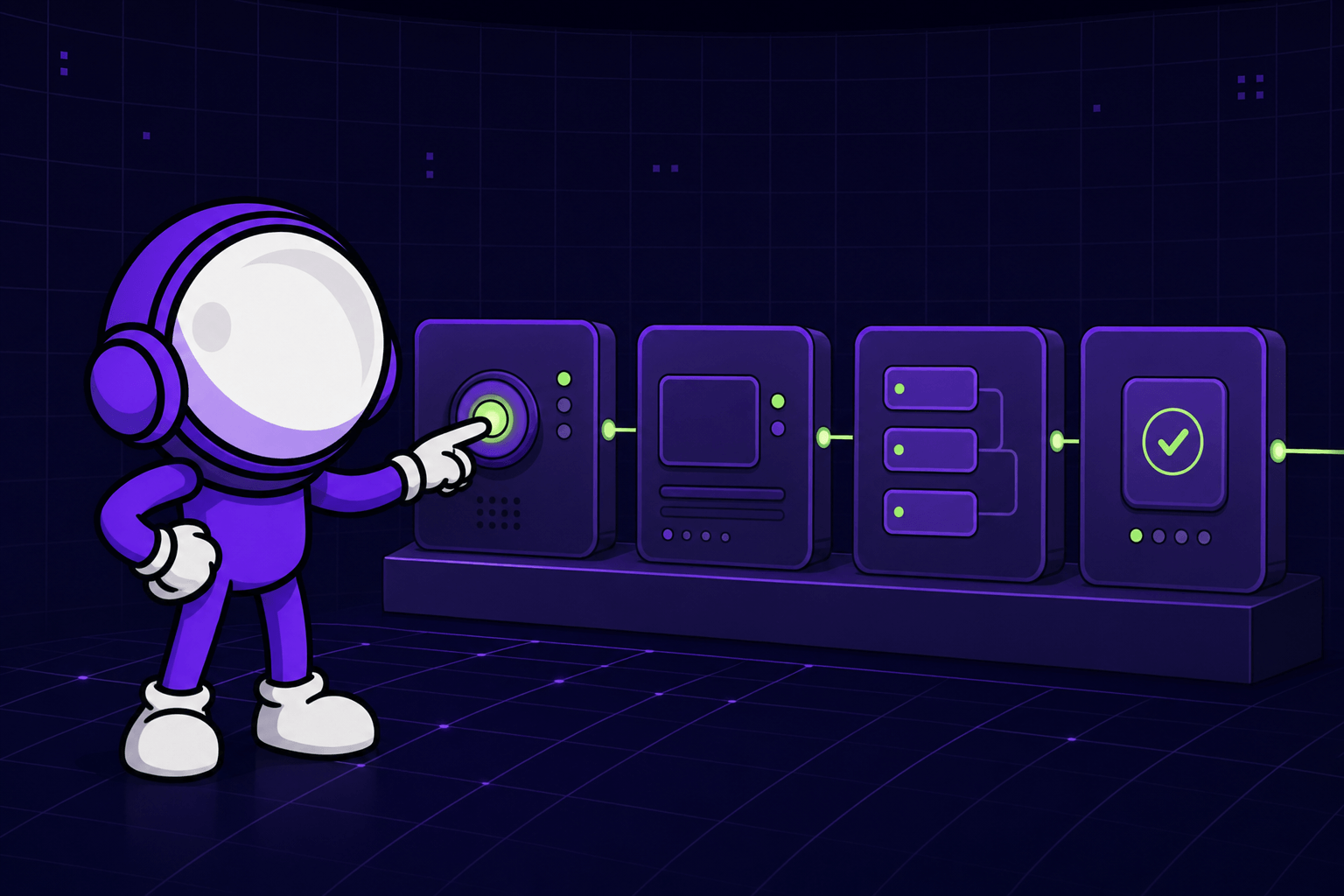
Every tool here is evaluated through a scale-up lens. The goal is not the easiest demo - it is durable workflow automation software that still works under pressure.
In this guide, each platform is scored on seven factors: integration depth, governance and security, AI capability, speed to launch, developer extensibility, operational visibility, and total cost of ownership. Tools that look great on paper often break under real pressure - that's exactly what these criteria are designed to test. For example, a tool may launch quickly but fail when finance, support, and product teams need shared rules and audit trails. That is why every tool in this guide is reviewed by best use case, standout features, pricing tier, and honest limitations.
Why most scale-ups outgrow tools in 12 months
Most vendors sell easy starts. Scale-ups usually need durable change control. That gap shows up fast - especially in the EU, UK, and US, where teams juggle compliance, multi-market ops, and lean engineering capacity. A simple no-code workflow can feel great in month one, then break when approvals, handoffs, and exceptions multiply across product, sales, and operations.
For a visual walkthrough of process design and BPMN, check out this tutorial from TechSimplified:
What CTOs should prioritize first
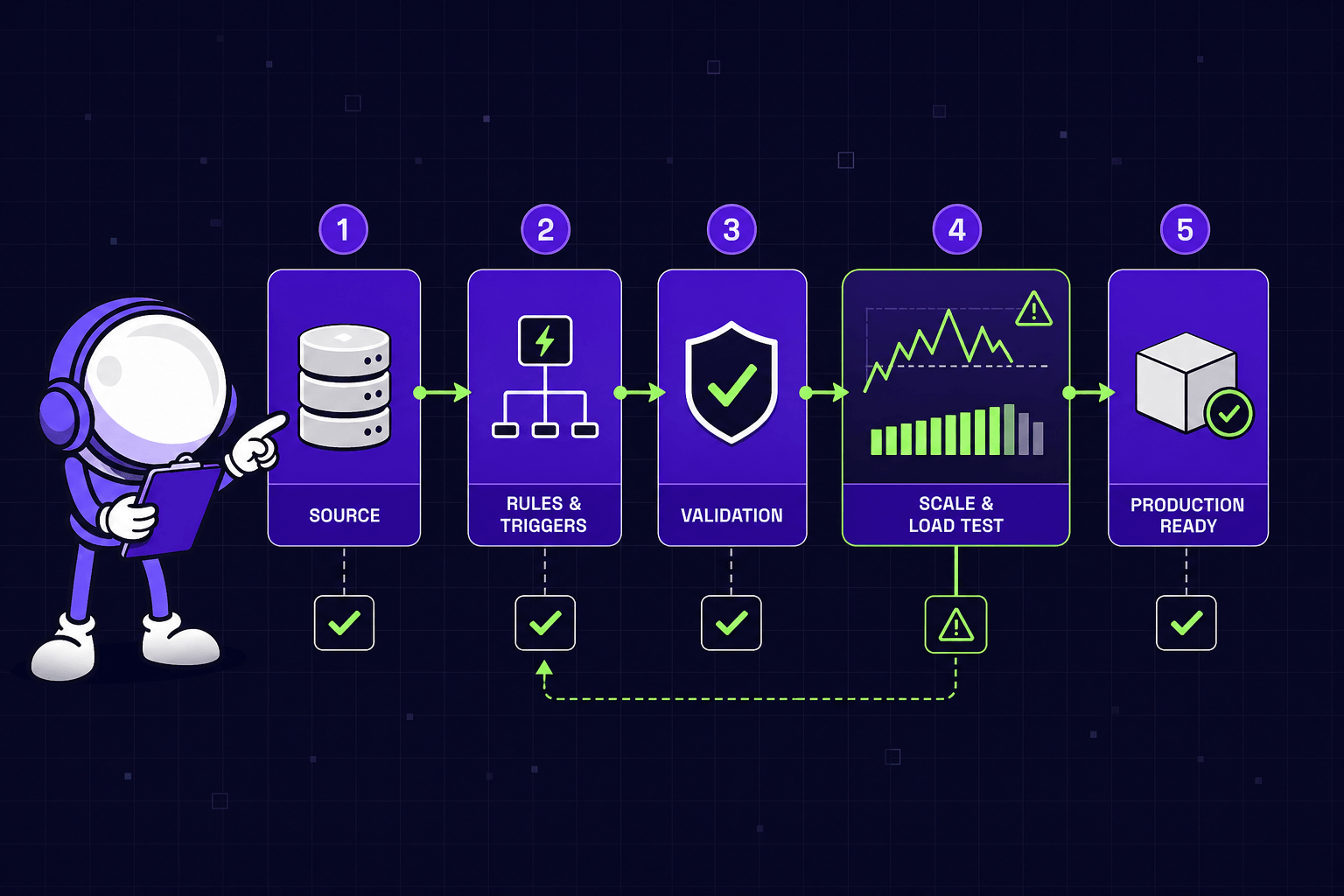
The best workflow automation for a fast-growing company depends on complexity, not hype. CTOs should first map system complexity, approval risk, and expected change volume. Then they should test workflow automation tools for visibility, rollback control, and developer escape hatches. When those gaps appear early, our AI integration & automation service (opens in new tab) becomes a stronger path.
Enterprise Business Process Automation Tools
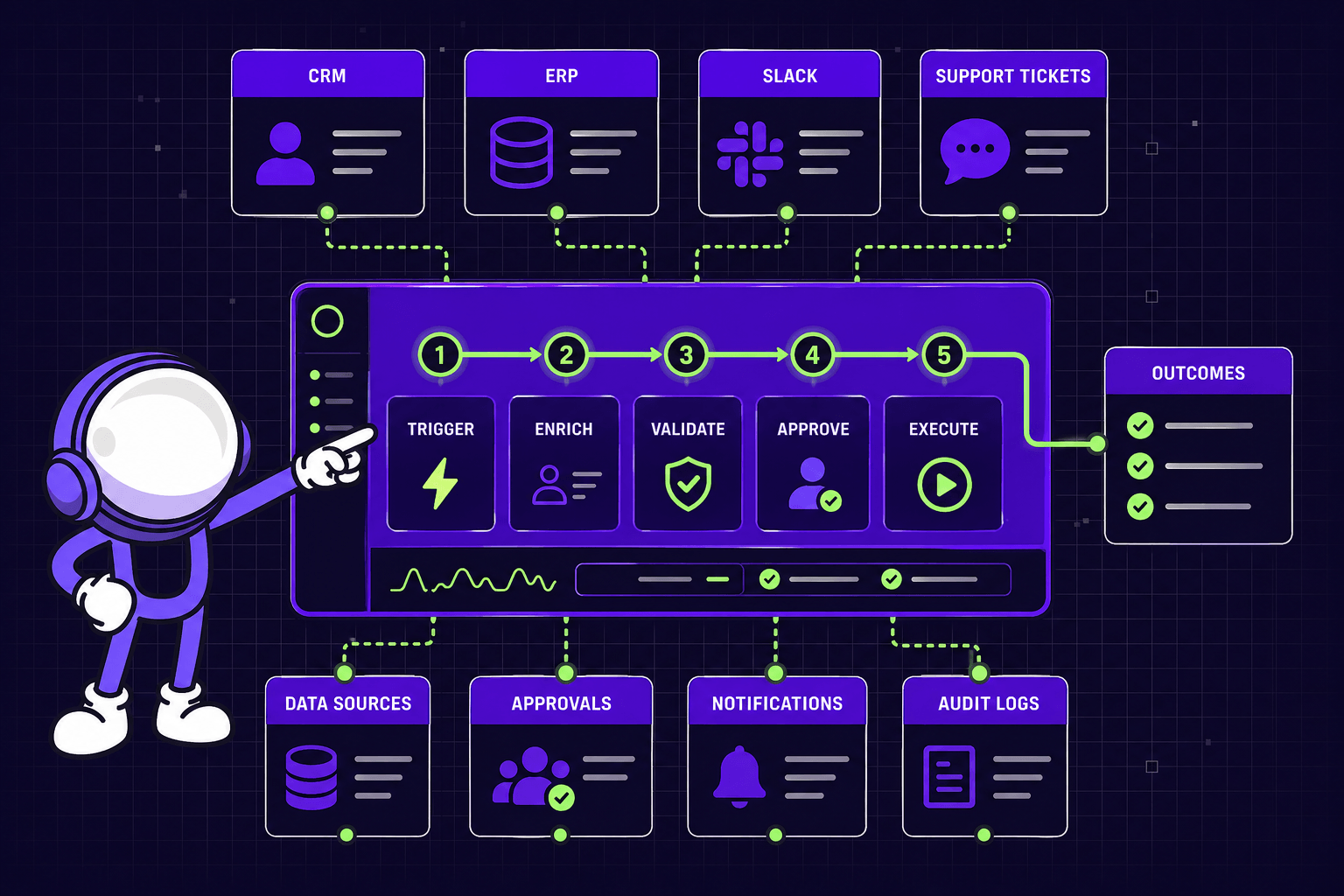
Enterprise teams need business process automation software that can handle scale, control, and messy system landscapes. The best options support deep workflow automation across finance, ops, support, and product systems. For example, a scale-up may need to sync CRM data, trigger approvals, update ERP records, and alert Slack in one flow. That is where enterprise-grade tools pull ahead of lighter alternatives.
1. Workato
Workato (opens in new tab) fits growing enterprises with complex cross-system orchestration needs. It is strong when teams must connect SaaS apps, databases, APIs, and internal services into a single, governed layer - and increasingly, when they need to connect AI agents to those same systems.
Best For
Complex multi-system workflow automation in fast-growing enterprises.
Key Features
- Deep app integrations
- Recipe-based automation
- API management
- Governance and access controls
- Enterprise MCP for AI agents
- Agent Studio
Pricing
Enterprise pricing with custom quotes.
Honest Limitation
Workato (opens in new tab) is powerful, but the cost climbs fast. Smaller teams may also face setup and admin overhead.
2. Microsoft Power Automate
Microsoft Power Automate (opens in new tab) works best in Microsoft-first organizations. It is a practical choice for firms standardizing approvals, notifications, and back-office flows across Microsoft 365 and the wider Power Platform. For example, HR can route leave requests from Teams to Outlook, SharePoint, and Dynamics without leaving the stack.
Best For
Internal workflows inside Microsoft-centric environments.
Key Features
- Native Microsoft 365 integration
- Robotic process automation
- Built-in approvals
- Power Platform connectivity
- Copilot AI authoring
Pricing
- 30-day free trial available
- Power Automate Premium: $15/user/month
- Power Automate Process: $150/bot/month
Honest Limitation
It works best inside Microsoft ecosystems. Non-Microsoft stacks can feel like second-class citizens.
3. Bizagi
Bizagi (opens in new tab) suits process-heavy operations with strict modeling and compliance needs. It stands out when teams need BPMN-based design, clear ownership, and audit-ready execution. For example, insurance, healthcare, or regulated fintech teams can map exceptions before rollout.
Best For
Structured operations that need process modeling and compliance support.
Key Features
- BPMN process design
- Case management
- Low-code app building
- Process analytics
- AI Agents
- AI Workers
Pricing
Enterprise pricing.
Honest Limitation
Bizagi has a steeper learning curve. Rollouts often take longer than lighter no-code workflow tools.
4. Nintex
Nintex (opens in new tab) is strongest in document-heavy workflows and formal approvals. It helps teams standardize forms, document generation, signatures, and repeatable business rules. For example, legal or procurement teams can automate contract intake, review paths, and final sign-off.
Best For
Document-centric processes with structured approvals.
Key Features
- Agentic Business Orchestration
- RPA (Robotic Process Automation)
- Form building
- Process mapping
- Document automation
- E-sign support
Pricing
- 30-day free trial (opens in new tab) available
- Enterprise pricing for full plans
Honest Limitation
Advanced customization can get expensive. It can also pull teams deeper into a platform-specific model.
5. UiPath
UiPath (opens in new tab) remains one of the best workflow automation platforms for repetitive back-office work. It is especially useful when legacy systems lack clean APIs, and teams must automate through the interface layer.
Best For
High-volume, rules-based tasks in operations, finance, and support.
Key Features
- Software bots
- Process mining
- AI document understanding
- Central orchestration
- Agentic automation
Pricing
- Free trial available
- Enterprise pricing for full plans
Honest Limitation
UI-based automation can be brittle. If source screens change often, maintenance costs rise quickly. For firms hitting that wall, our AI integration & automation service (opens in new tab) can offer a more durable hybrid path.
Mid Market No Code Workflow Automation Tools
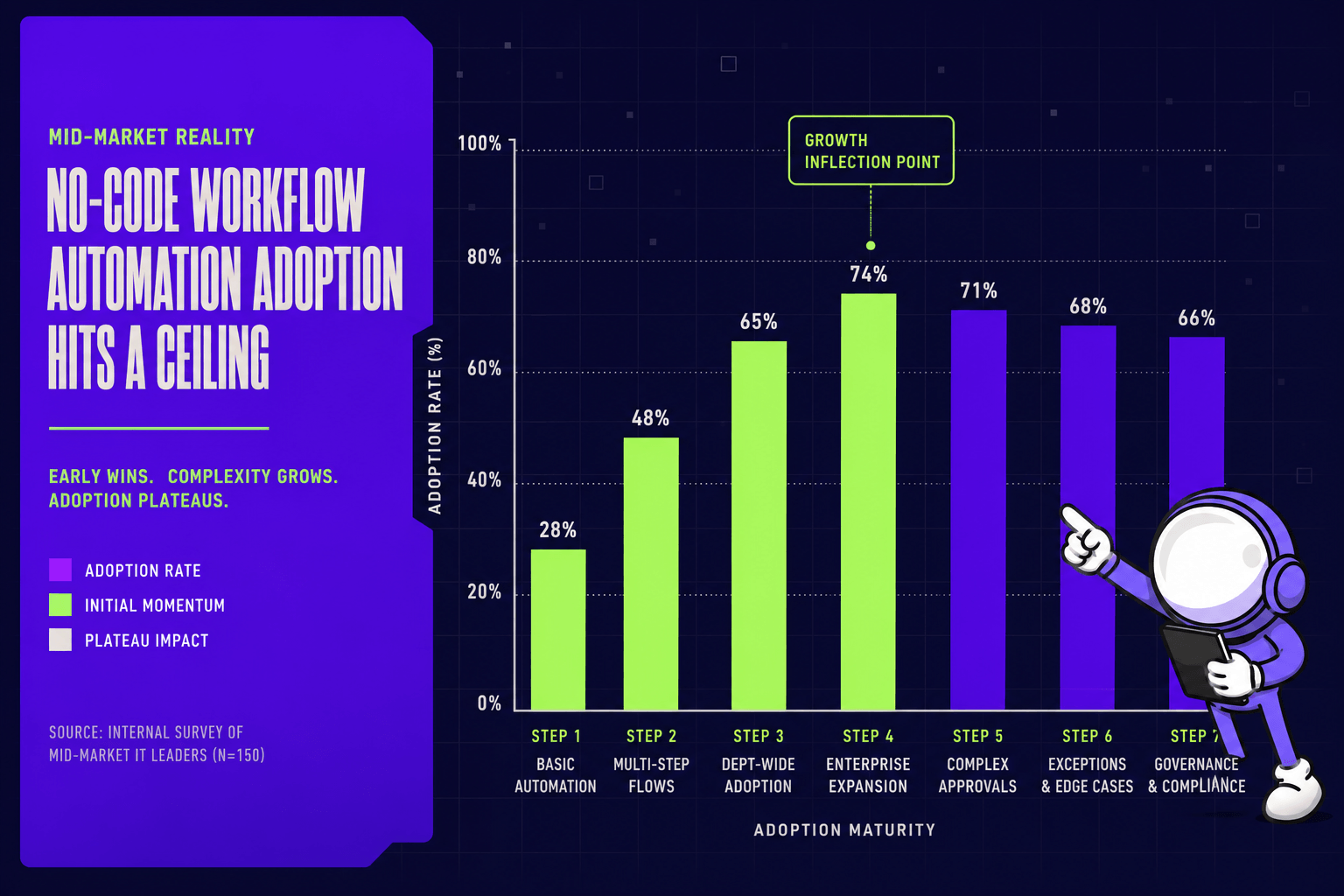
Most mid-market teams start with no-code tools for speed. They work great for the first few months. Then approvals stack up, exceptions multiply, and the tool hits limits. The best platforms in this tier anticipate that growth. Strong mid-market business process automation software balances speed, control, and room to grow.
6. Zapier
Zapier (opens in new tab) is best for fast deployment across common SaaS apps. It suits lean teams that need simple workflows live this week, not next quarter. For example, a product ops team can route Typeform leads into HubSpot, Slack, and Jira in one afternoon. Its huge app library, ready-made templates, AI actions, and low learning curve explain its broad appeal among mid-market teams looking for quick workflow automation solutions.
Best For
Simple cross-app automations with minimal setup.
Pricing
- Free plan available (100 tasks/month)
- Professional: from $19.99/month (billed annually)
- Team: from $69/month (billed annually)
- Enterprise: custom pricing
Pros
- Massive integration library
- Fast setup with templates
- Friendly for non-technical teams
- Strong starting point for no-code workflow automation
Cons
- Multi-step logic gets messy
- Governance is limited at scale
- Complex error handling needs workarounds
Zapier (opens in new tab) is often enough for an early scaling business. It is rarely enough forever. Once approvals, branching logic, and audit needs grow, teams often hit a ceiling.
7. Make
Make (opens in new tab) fits visual builders who need more flexibility than basic no-code tools. Its scenario builder makes flows feel like a map rather than a checklist. For example, operations teams can parse form data, branch by region, and schedule follow-up actions on a single visual canvas.
Best For
Teams that want flexible workflow automation tools without writing much code.
Pricing
- Free plan available (1,000 operations/month)
- Core: from $10.59/month (billed annually)
- Pro: from $18.82/month (billed annually)
- Teams: from $34.12/month (billed annually)
- Enterprise: custom pricing
Pros
- Visual scenario-based builder
- Strong data transformation tools
- Routers and scheduling add flexibility
- Better control than entry-level no-code workflow tools
Cons
- Large workflows can sprawl fast
- Maintenance needs strict naming rules
- Documentation becomes essential
8. n8n
n8n (opens in new tab) is best for technical teams that want more control. It combines no-code workflow patterns with code steps, API depth, and self-hosting options. For example, an engineering team can connect internal services, enrich payloads, and keep sensitive data inside its own stack. That makes n8n (opens in new tab) attractive when off-the-shelf business process automation software feels too closed.
Best For
Technical teams that want developer-friendly automation.
Pricing
- Free trial available (no credit card required for Starter and Pro)
- Starter: €20/month (billed annually, 2,500 executions)
- Pro: €50/month (billed annually, 10,000 executions)
- Business: €667/month (billed annually, 40,000 executions)
- Enterprise: custom pricing
- Self-hosted Community Edition available on GitHub
Pros
- Self-hosting available
- Open-source flexibility
- Strong API support
- Code steps for edge cases
Cons
- Needs technical ownership
- Less friendly for pure business users
- Setup overhead is higher
9. Kissflow
Kissflow (opens in new tab) works best for business-led internal process digitization. It focuses on forms, approvals, tracking, app building, and department templates. For example, HR can launch leave requests, finance approvals, and procurement reviews without pulling engineering into every change.
Best For
Internal approvals and departmental project management flows.
Pricing
- Basic: $2,500/month (limited features)
- Enterprise: custom pricing
Pros
- Strong forms and approvals
- Clear process tracking
- Good fit for business teams
- Useful departmental templates
Cons
- Less extensible for product-heavy use cases
- Engineering workflows may outgrow it
10. Tray.ai
Tray.ai (opens in new tab) targets product and operations teams that need more scale than entry-level platforms offer. It supports composable workflows, APIs, data handling, and enterprise connectors. That makes it a strong step up when teams need durable workflow automation across products, rev ops, and support. The trade-off is simple: pricing can rise quickly as scope expands.
For teams already seeing those limits, our AI integration & automation service (opens in new tab) is often the next step. For a practical example, see Connect Your AI Sales Tools Without Wasting Money (opens in new tab).
Best For
Scalable integrations across products, rev ops, and support teams.
Pricing
Custom pricing - contact sales.
Honest Limitation
Pricing rises quickly as scope and usage grow.
AI Native and Custom Workflow Automation Options
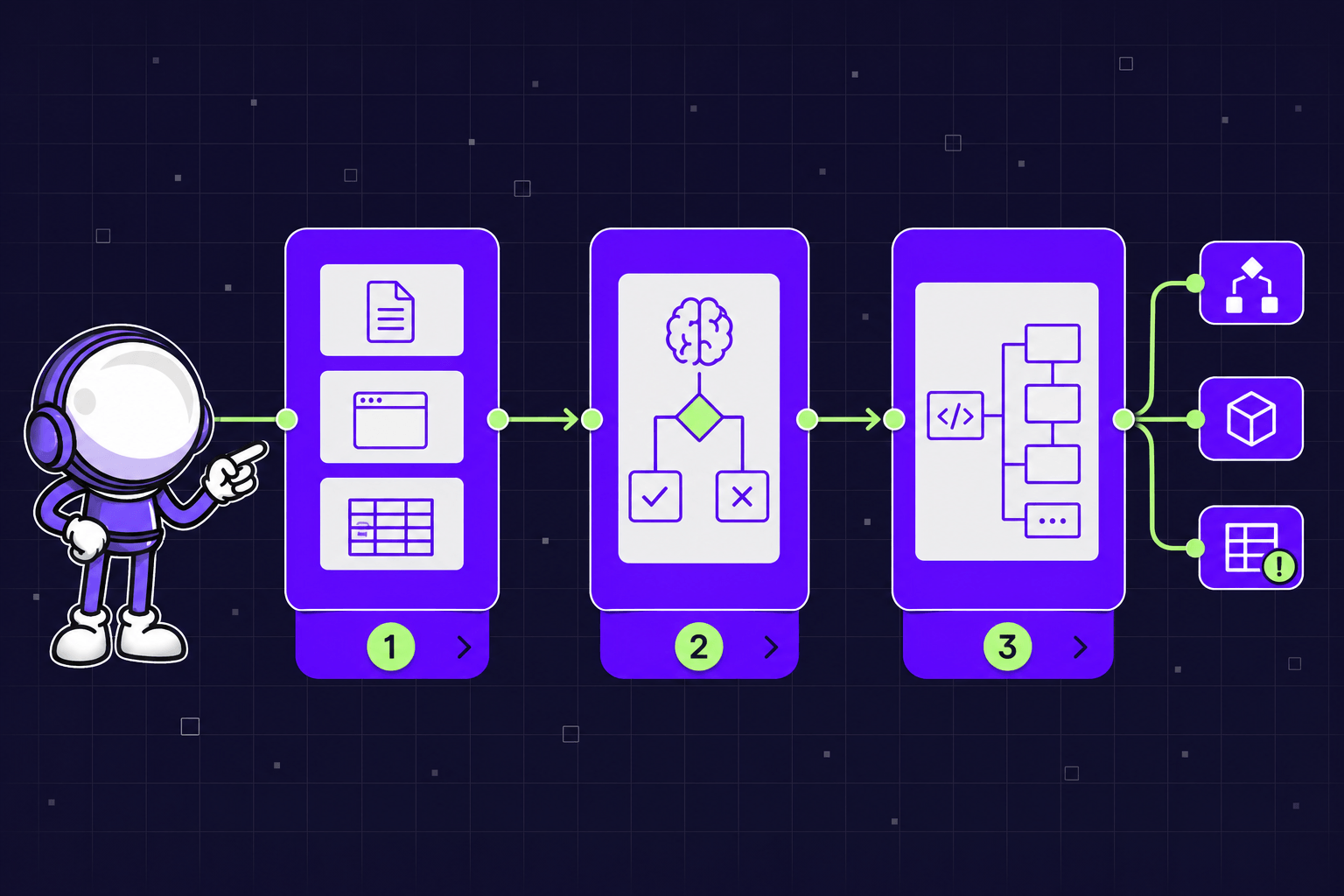
This tier matters when standard business process automation software starts to feel cramped. The best automation tools in 2026 can launch fast, but edge cases appear fast too. AI-native platforms promise smarter workflow automation software, while custom delivery handles logic no template can predict.
11. Noxus
Noxus (opens in new tab) fits enterprise teams that need AI workers to operate directly within legacy systems such as SAP, Oracle, and Salesforce - without requiring modern APIs. It focuses on complaints, document processing, ticket resolution, and policy enforcement with full audit trails.
Best For
Enterprise operations teams automating complex case and resolution workflows.
Pricing
- Test: Free (single AI Co-worker pilot)
- Adopt: £1,500/month (multiple AI Co-workers)
- Scale: Custom pricing
Honest Limitation
Founded in 2023 and still early-stage. Ecosystem and integrations are narrower than established vendors.
12. Celigo
Celigo (opens in new tab) is strongest when integration drives the use case. It works well across SaaS stacks in commerce, finance, and operations, with prebuilt integrations, orchestration, error handling, and reusable templates. For example, a scale-up can sync orders, invoices, and inventory without wiring every workflow from scratch.
Best For
Integration-led automation across connected SaaS systems.
Pricing
- 30-day free trial available
- Standard, Professional, and Enterprise editions
- Custom pricing based on endpoints and flows - contact sales
Honest Limitation
Bespoke product workflows still push teams toward custom engineering.
13. Activepieces
Activepieces (opens in new tab) stands out for cost-conscious teams that want open-source control. It offers self-hosting, community connectors, code-friendly steps, and AI features in a modern interface. That makes it a practical pick for technical teams that want workflow automation without heavy license overhead.
Best For
Open-source automation with developer flexibility.
Pricing
- Free plan available
- Plus: $25/month
- Business: $150/month
- Self-hosted Community Edition: free (unlimited tasks)
- Enterprise: custom pricing
Honest Limitation
Support depth and enterprise readiness can trail larger vendors.
14. Tines
Tines (opens in new tab) is built for secure, event-driven automation. It uses story-based workflows, strong API handling, reusable actions, and governance controls. For example, a security team can enrich alerts, open tickets, and notify owners from one controlled workflow.
Best For
Technical, security, and operations-heavy environments.
Pricing
- Community: free (1 builder, 3 flows, unlimited workflow runs)
- Starter: from $500/month (5 builders, 20 flows, 1M monthly events)
- Business & Enterprise: custom pricing
Honest Limitation
It is not always the easiest fit for business-led process design.
15. Mygom.tech
Mygom.tech fits when off-the-shelf tools cannot support core logic, product workflows, or compliance-heavy delivery. It combines custom workflow design, API integrations, and AI automation with production-grade shipping in weeks. Teams exploring our AI integration & automation service (opens in new tab) often reach this point after outgrowing packaged business process automation software.
Best For
Custom automation tied to product, data, and compliance.
Pricing
Project-based and custom.
Honest Limitation
Custom builds need tighter scoping and clearer stakeholder ownership.
When to Build Custom Instead of Buying Software
Build custom when automation becomes part of the product, not just operations. Build custom when compliance, edge cases, or cross-system rules drive the roadmap. For example, a fintech scale-up that needs to route KYC checks through three compliance systems, trigger manual reviews based on 40+ country-specific rules, and maintain full audit trails will outgrow any packaged tool. If fit is weak, tools become temporary scaffolding.
Business Process Automation Software Comparison and Verdict
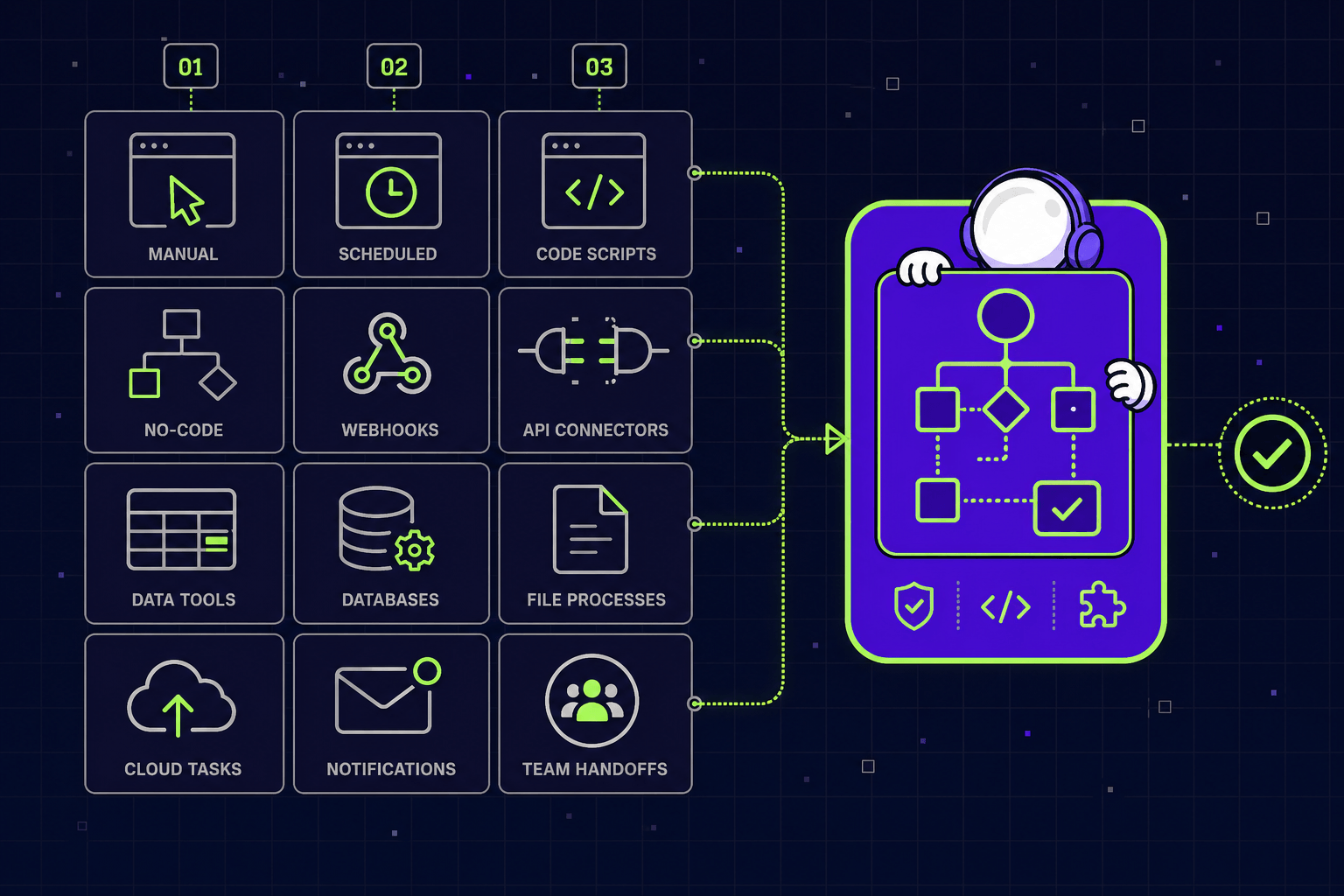
The clearest lesson is simple: tools win early, but not always for long. The right business process automation software depends on workflow shape, governance needs, and how much custom logic sits inside the operation.
Option | Best for | Team size | Pricing tier | Implementation speed | Technical flexibility | Main limitation |
|---|---|---|---|---|---|---|
Workato | Enterprise orchestration | 200+ | Enterprise | Medium | High | High cost |
Power Automate | Microsoft-first teams | 50+ | Mid - Enterprise | Fast | Medium | Weaker outside Microsoft |
Bizagi | Process-heavy compliance | 200+ | Enterprise | Slow | High | Steeper learning curve |
Nintex | Document workflows | 100+ | Enterprise | Medium | Medium | Customization gets expensive |
UiPath | Back-office RPA | 200+ | Enterprise | Medium | High | Brittle UI automations |
Zapier | Fast simple automations | 5 - 100 | Low - Mid | Fast | Low | Limited governance |
Make | Visual no-code workflow | 10 - 100 | Low - Mid | Fast | Medium | Harder to maintain at scale |
n8n | Open-source flexibility | 10 - 200 | Low - Mid | Medium | High | Needs technical ownership |
Kissflow | Business-led processes | 50 - 500 | Mid | Medium | Medium | Limited for product logic |
Tray.ai | Scalable integrations | 50 - 500 | Mid - Enterprise | Medium | High | Pricing rises quickly |
Noxus | Enterprise AI for legacy operations | 10 - 100 | Premium | Fast | Medium | Smaller ecosystem |
Celigo | SaaS ecosystem orchestration | 50 - 500 | Mid - Enterprise | Medium | Medium | Bespoke flows still need code |
Activepieces | Cost-aware open source | 5 - 100 | Low - Mid | Medium | High | Lighter enterprise support |
Tines | Secure event-driven automation | 50 - 500 | Mid - Enterprise | Medium | High | Best in technical teams |
Mygom.tech | Custom or hybrid automation | 20 - 1000+ | Custom | Medium | Very high | Needs clear scope |
For plain decisions, use a tool when workflows are standard, integrations are predictable, and launch speed matters more than differentiation. Build custom when automation touches core product logic, regulated approvals, or cross-team systems that packaged tools cannot model cleanly.
Best-fit shortcuts are straightforward. Choose Workato for enterprise orchestration. Choose Zapier or Make for mid-market speed. Choose n8n or Activepieces for open-source control. Choose Noxus for AI-driven operations on legacy systems. Choose Mygom.tech when scale-up complexity turns tools into a ceiling, not an accelerator.
The next wave of workflow automation will reward teams that design for fit, not feature volume. If scale-up complexity is turning your tools into a ceiling, talk to Mygom.tech (opens in new tab) - we build what packaged tools can't.

Justas Česnauskas
CEO | Founder
Builder of things that (almost) think for themselves
Connect on LinkedIn