Connect Your AI Sales Tools Without Wasting Money
Picture this: 40% of your leads vanish because two AI tools won't talk to each other. You jump between chatbots, content tools, and a CRM that never syncs. Broken systems drain time and cash - $20k a month on tool overlap isn't fiction. It's real for teams who try to integrate AI tools for sales without prep.
A MarketsandMarkets study (opens in new tab) shows sales teams with integrated AI stacks see 47% better data utilization - not patchwork tools that waste it. But before you dream of perfect pipelines and auto outreach, you need the right setup. Skip it, and you face late nights, missed deals, and broken tools.
This guide shows what you need before integrating AI tools for sales and how to avoid common traps. You'll get a list of exact tools, access rights, and data to gather on day one. We'll show you how to spot gaps that can sink your plans. You'll learn why clear sales goals are your best shield against wasted spend.
Ready to connect the dots? By the end, you'll know what's missing in your setup and how to fix it fast.
Prerequisites
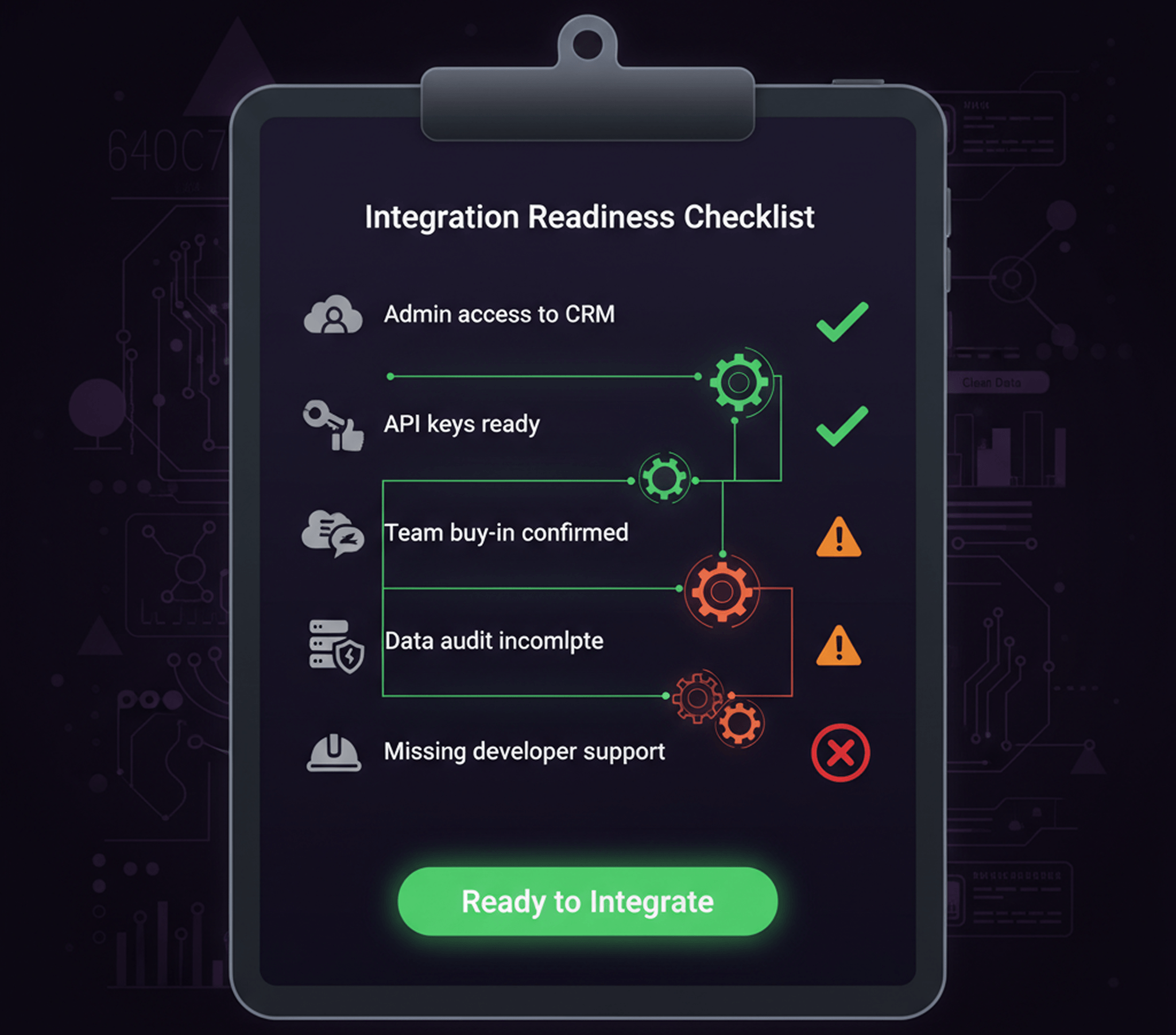
Before you start, make sure you have these ready:
Access and Permissions
- Admin access to your CRM (like Salesforce or HubSpot)
- API keys for each tool you plan to connect
- Team buy-in from sales, marketing, and IT leads
Data Requirements
- Customer data audit complete (know where leads, emails, and notes live now)
- List of all current AI and sales tools in use
- Past 3 months of conversion data for baseline metrics
Technical Setup
- Zapier or Make account (for no-code connections)
- Developer support if you need custom API work
- Test environment separate from live sales operations
Success Criteria
- Response time under 5 minutes for new leads
- Zero manual data entry between tools
- Brand voice stays consistent across all AI outputs
- Conversion lift of at least 15% within 30 days
Step 1: Map and Connect Your Sales Tools
List All Your AI and Sales Tools
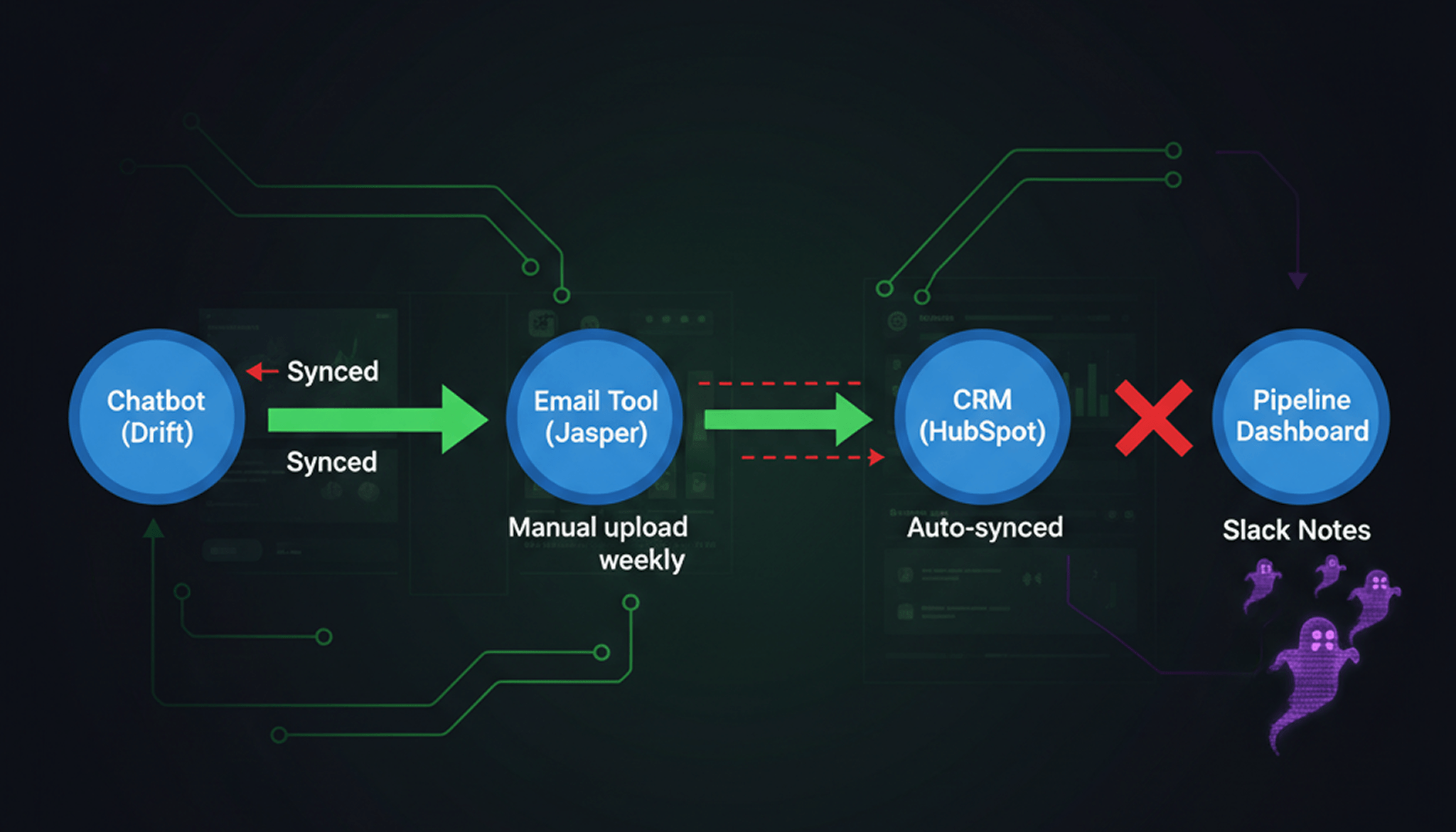
Start by listing every tool your sales team touches. Open a fresh sheet or use a visual tool like Miro. Add columns for each platform - CRM, chatbot, email tool, content maker, price tool. For example: HubSpot for CRM, Drift for chat, Jasper for content.
Write down versions and logins next to each entry. Note which teams use which tools - marketing, BDRs, account staff. Mark which platforms hold customer data versus those that drive outreach.
Draw arrows showing how data flows between these tools now. If your chatbot never pushes leads into your CRM on its own? Mark that break with a red line. You should now see a clear map of where your sales tech connects - and where it doesn't.
Checkpoint: Make sure every active AI or sales tool is mapped before you move on.
Find Your Integration Pain Points
Find the cracks in your system - the places where info gets stuck or lost. Look for manual steps ("We download leads from the chatbot weekly and upload them to Salesforce") and double-entry points ("I copy notes from Slack into our CRM after calls").
For example, if half your team still copies email replies into sheets instead of syncing with the main pipeline? That's a friction point that bleeds both time and revenue.
A Forbes analysis (opens in new tab) of 720 sales reps found they spend only 35.2% of their time selling, with 14.8% lost to administrative tasks like data entry and internal approvals, and the rest on non-revenue activities.
Broken systems also hurt customer experience. When AI tools can't talk to each other, prospects get mixed (opens in new tab) messages - or worse, no follow-up at all. Think of it like running five kitchens but never sharing orders - the meal always arrives late or cold.
Checklist: Flag every tool gap causing manual steps or lost data flow.
At this point, you've found exactly where to integrate AI tools for sales impact, and which links will unlock better conversions and revenue growth.
Step 2: Build Your Custom AI Sales Hub
Pick the Best AI for Your Needs
Start by listing the main gaps in your sales workflow. Are chatbots missing context? Does your CRM ignore key signals? Find where you lose leads or where you slow down.
Next, research tools that fit your industry and goals. If you're in e-commerce, look at platforms like Drift or Intercom for real-time sales chats. Agencies might prefer Copy.ai or Jasper for content at scale.
Decide between off-the-shelf, custom, or hybrid options. Off-the-shelf is like buying a ready-made suit - fast but generic. Custom is tailored to every curve of your process. It often delivers higher ROI in the long run - no wasted features or vendor lock-in. Hybrid means mixing best-in-class tools with custom code to fill the gaps.
Checkpoint: You should now have a shortlist labeled "best AI sales" options matched to each pain point.
Set Up Custom Links
Choose how you'll connect these tools into one hub. Many platforms offer built-in links - Zapier for quick setup, Make for complex flows. No-code lets you move fast: drag-and-drop setup, minimal IT help.
For deeper control and true custom fit - especially if you want full ownership instead of paying endless subs - you'll need some code:
- Identify core data flows: For example, lead info from chatbot → CRM → email workflow.
- Use APIs where you can.
- Test each link with real data before moving forward.
- Monitor sync status daily. Broken links kill deals.
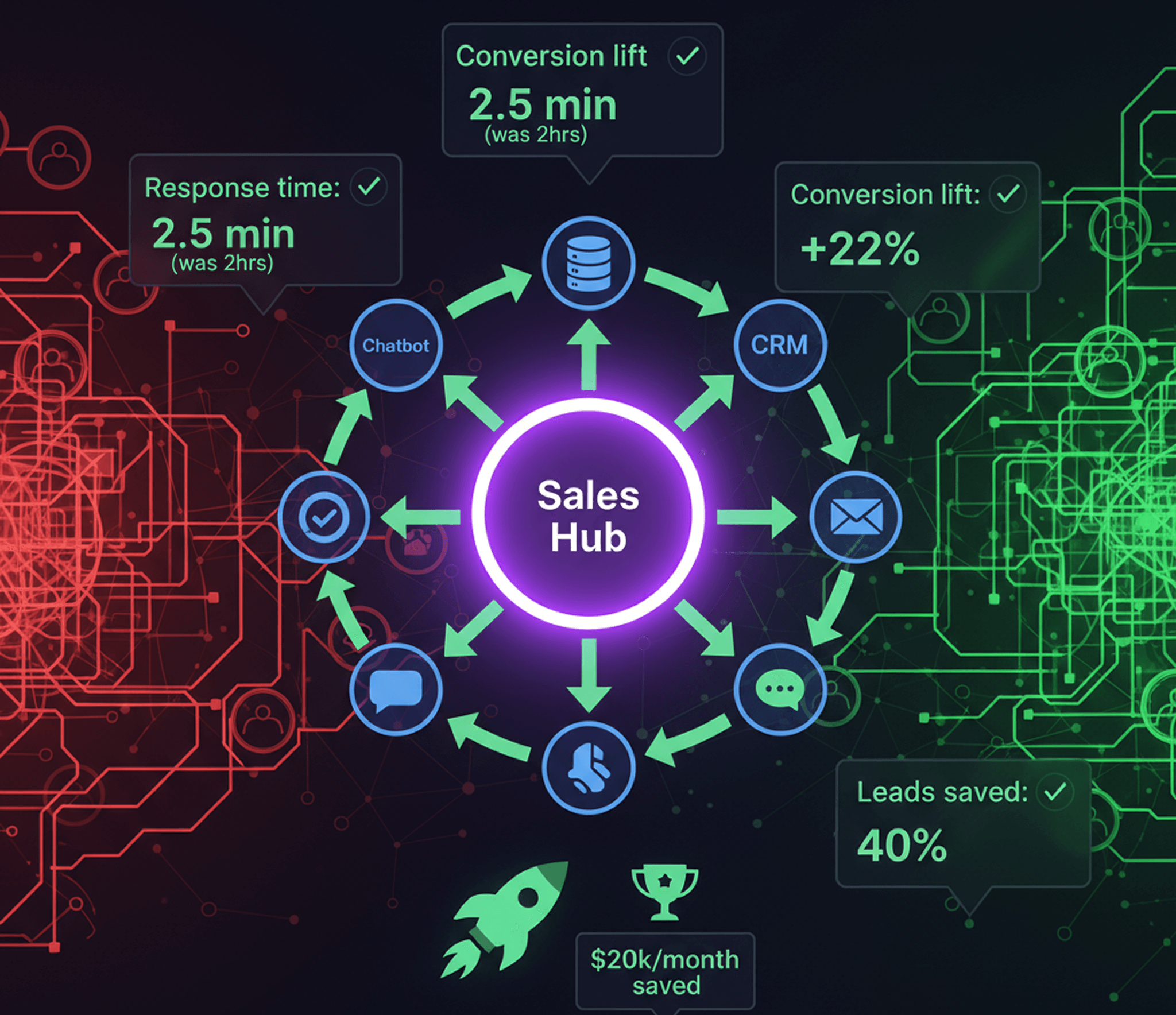
You should now see one dashboard showing live activity across all channels - a single source of truth.
Checkpoint: Make sure your test leads show up instantly in every connected tool before launching automations.
Warning: If links fail silently or drop data between systems, you'll multiply errors and cost instead of saving them - see why broken intelligence kills CX (opens in new tab).
Make Outreach Feel Human
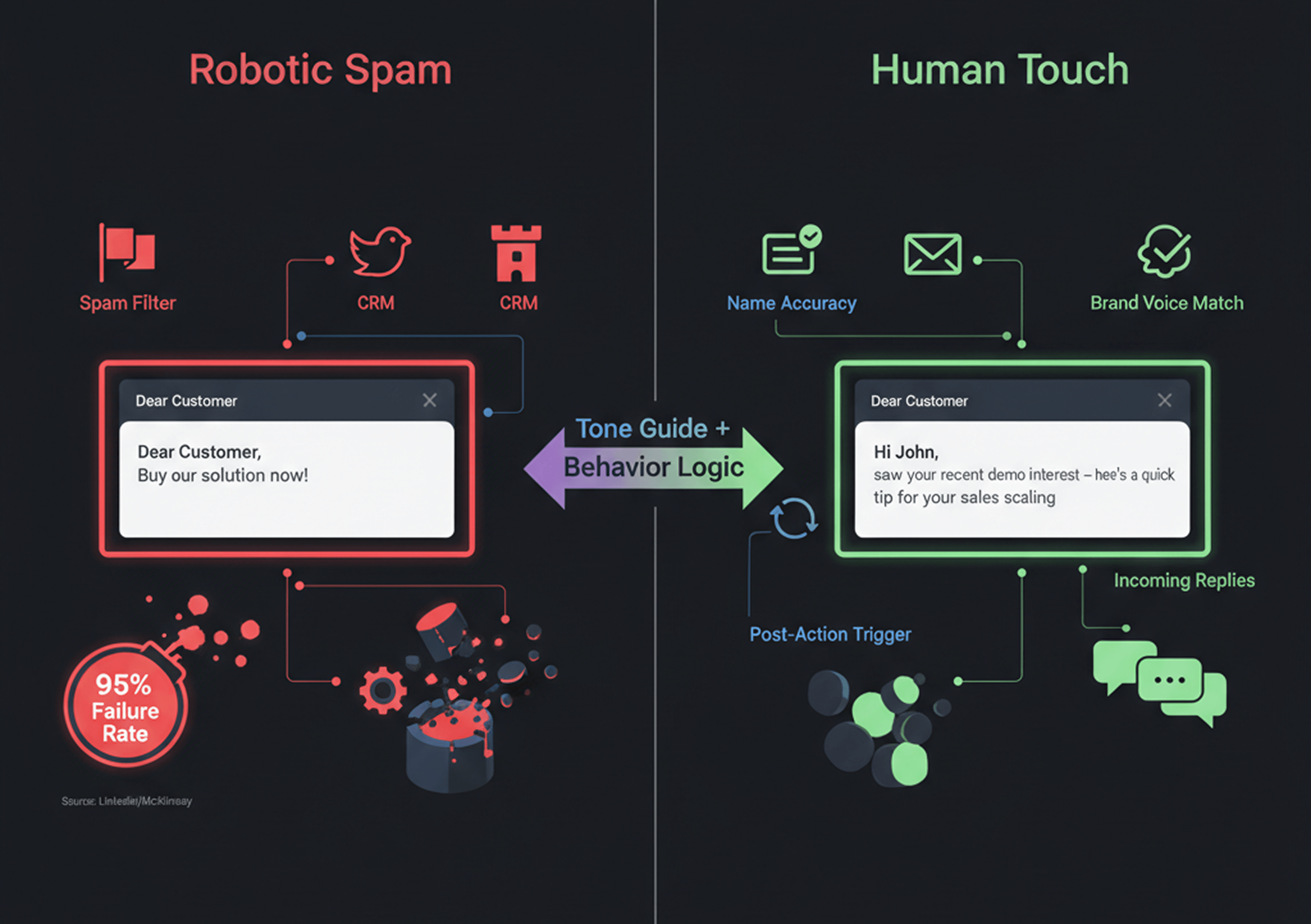
Set up the AI hub so every message feels human - not robotic spam from yet another tool. Start by uploading your brand's tone guide and approved templates into the system. Most modern content AIs let you do this.
Build branching logic based on customer actions - not just time delays - to trigger follow-up flows only when buyers are actually interested.
Data from LinkedIn (opens in new tab) shows that messy or siloed data causes 95% of corporate AI projects to miss their mark. Clean integration is critical here.
Run test campaigns using sample personas before going live. Review tone and accuracy at each step:
- Did it use correct names?
- Was brand voice consistent?
- Did messages arrive after key events?
At this point, your outreach flows will feel seamless. You'll start seeing warm replies instead of unsubscribes.
Success Sign: When it works, you'll see more replies within days, and fewer dropped leads as everything syncs across channels using best-for-you automations built around your team's strengths rather than generic workflows designed for "average" businesses.
Ready to own a smarter stack? This is how you integrate AI tools for sales without losing authenticity - or burning through $20k/month on broken tech that never quite fits right.
Step 3: Test and Tune AI Sales Workflows
You've built your unified AI sales hub. Now comes the moment of truth: does it deliver? Testing is where you move from theory to real results. This step turns your investment into revenue.
Run Sample Sales Journeys
Start by running sample deals through your new workflow. For example, take a typical inbound lead - someone fills out a form on your site. Trigger the chatbot handoff. Sync the data to your CRM. Push a personalized email follow-up.
- Launch test contacts through each stage: inquiry, qualification, nurturing, and close.
- Use real products or offers that reflect daily business.
- Assign team members to play "customer" roles and try unusual paths. Try rapid-fire questions. Switch channels mid-conversation.
You should now see each system handing off leads seamlessly. No data lost between steps.
Checkpoint: Make sure every customer touchpoint reflects your brand voice on its own. If any tool drops context or responds off-script, flag it for adjustment.
Track Results and Conversion Lift
Once you run sample journeys, shift focus to the numbers that matter most - speed and conversion.
- Track how long it takes for a lead to get their first response compared to before.
- Monitor if new automations increase replies or booked meetings.
- Compare conversion rates from demo request through deal close with pre-integration baselines.
For example: If it used to take two hours for a human rep to reply, but your AI handles inquiries instantly - even at 2 AM - you'll spot an immediate gain in response time.
After you integrate AI tools for sales into one streamlined hub? Expect those admin hours - and wasted effort- to shrink fast.
Checkpoint: Review analytics dashboards for "time-to-first-touch" and win rates before moving forward. If you don't see improvement in these metrics within two weeks, revisit automation triggers or make messaging more personal.
Tune and Improve Further
Perfect workflows aren't born - they're refined through feedback loops.
- Study failed handoffs or low-engagement sequences using built-in reporting tools or exports.
- Adjust content generation models if emails sound generic or miss details. "Hi {{FirstName}}," is not enough.
- Tweak routing logic so high-value leads always hit priority queues - even during heavy traffic spikes like Black Friday e-commerce surges.
Think of this phase like tuning a race car. It's not just about speed, but handling every curve with precision.
If you find broken responses or missing context during tests? Remember what CX Quest (opens in new tab) warns: disconnected tools create broken customer journeys that cost real revenue opportunities.
Checkpoint: After each round of tweaks, rerun sample scenarios from start to finish. Keep going until all key metrics - speed, personalization accuracy, conversion rate - show clear lift versus old workflows.
At this point? Your integrated stack should feel less like patched-together robots and more like one smart assistant who never forgets a detail or drops a lead in the gap again.
Your Next Move - Stop Fighting Your Tools
You've just mapped the gaps eating your revenue. The question isn't if you should fix this - it's how fast you can stop the bleeding.
Here's the reality - 42.3% of your sales team's time vanishes into repetitive nonsense - copying data between systems, chasing leads that fell through cracks, fixing what "smart" tools broke. That's not a technology problem. It's a custom automation problem.
Off-the-shelf tools promise magic but deliver mediocrity. They force you to bend your process to fit their box. Custom automation does the opposite - it bends to exactly how your team actually works.
We build the boring stuff so you don't have to.
We're a custom software company that specializes (opens in new tab) in automating the repetitive work that's quietly killing your sales velocity. No generic platforms. No vendor lock-in. Just intelligent automation that connects your messy stack into one system that actually learns your process.
Ready to stop wasting hours on manual work?
Book a consultation (opens in new tab) - we'll walk through your current setup, identify where automation makes the most sense, and map out what a custom solution could look like for your team.