Why Your Team Trusts the Spreadsheet, Not the CRM
The Shadow Spreadsheet Is Telling You Something. Listen to It.
There's a moment every operations leader recognizes. You walk past a desk and see a spreadsheet open beside the CRM. The CRM has the deals. The spreadsheet has the truth.
That's not a workflow bug. It's a signal.
Shadow spreadsheets don't appear because people love Excel. They appear because the official system can't keep up with how work actually moves. The CRM stores records. The spreadsheet runs the business. Once that split happens, your reports show one version of the business, and your team operates from another.
Most teams treat this as an adoption problem. They roll out training. They add fields. They buy plugins. None of it works for long because adoption isn't the issue. The system doesn't fit the business.
This is the moment when build vs buy stops being a software debate. It becomes an operating model decision.
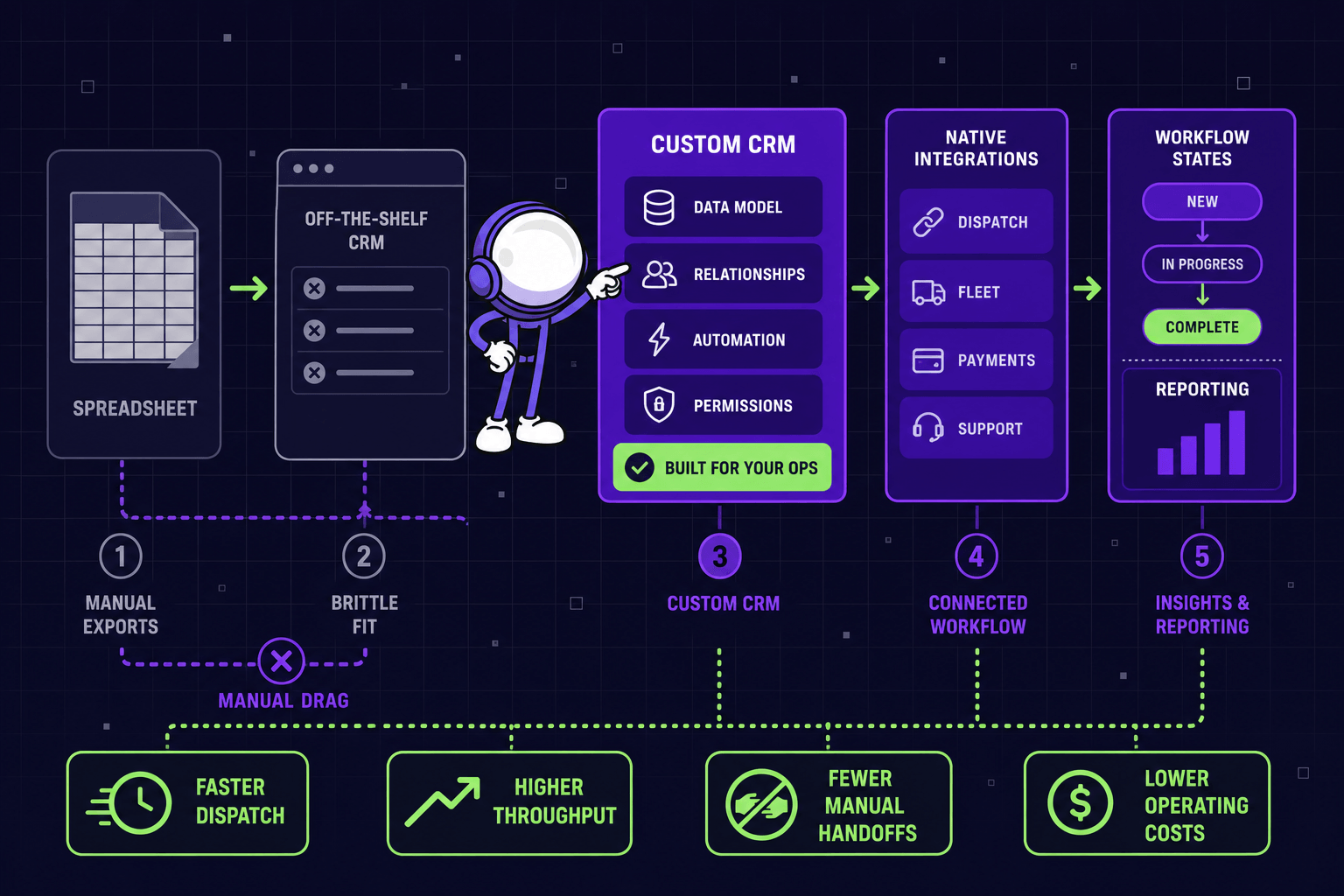
What the Shadow Spreadsheet Actually Costs
Most teams budget for CRM the way they budget for any SaaS: seats × users. That math misses everything that matters.
The real cost shows up in five places:
- Seat growth across teams. It starts with sales. Then support needs access. Then finance wants pipeline visibility. Then operations. Per-seat pricing scales with every handoff, not just sales volume.
- Admin and consultant time. Every new workflow needs custom fields, hidden objects, or a configuration session. That work rarely lands in the software line item.
- Middleware subscriptions. Zapier, ETL jobs, sync scripts - each one keeps the CRM connected to the rest of the stack. None of them is free, and all of them break.
- Failed automation cleanup. When an automation misfires, someone manually fixes the records. That work is invisible until you add it up.
- Manager hours on data reconciliation. Every Monday, someone exports data, compares it against another system, and produces a report that leadership trusts. That's the most expensive hour in the company, and it's spent fighting the tool.
None of this shows up on the invoice. All of it shows up in operating drag - and at real scale. Recent research (opens in new tab) estimates that disconnected data systems cost 20-30% of operational efficiency each year. For most mid-market businesses, that's hundreds of thousands of dollars paid annually in reconciliation, duplicate entry, and reports nobody fully trusts.
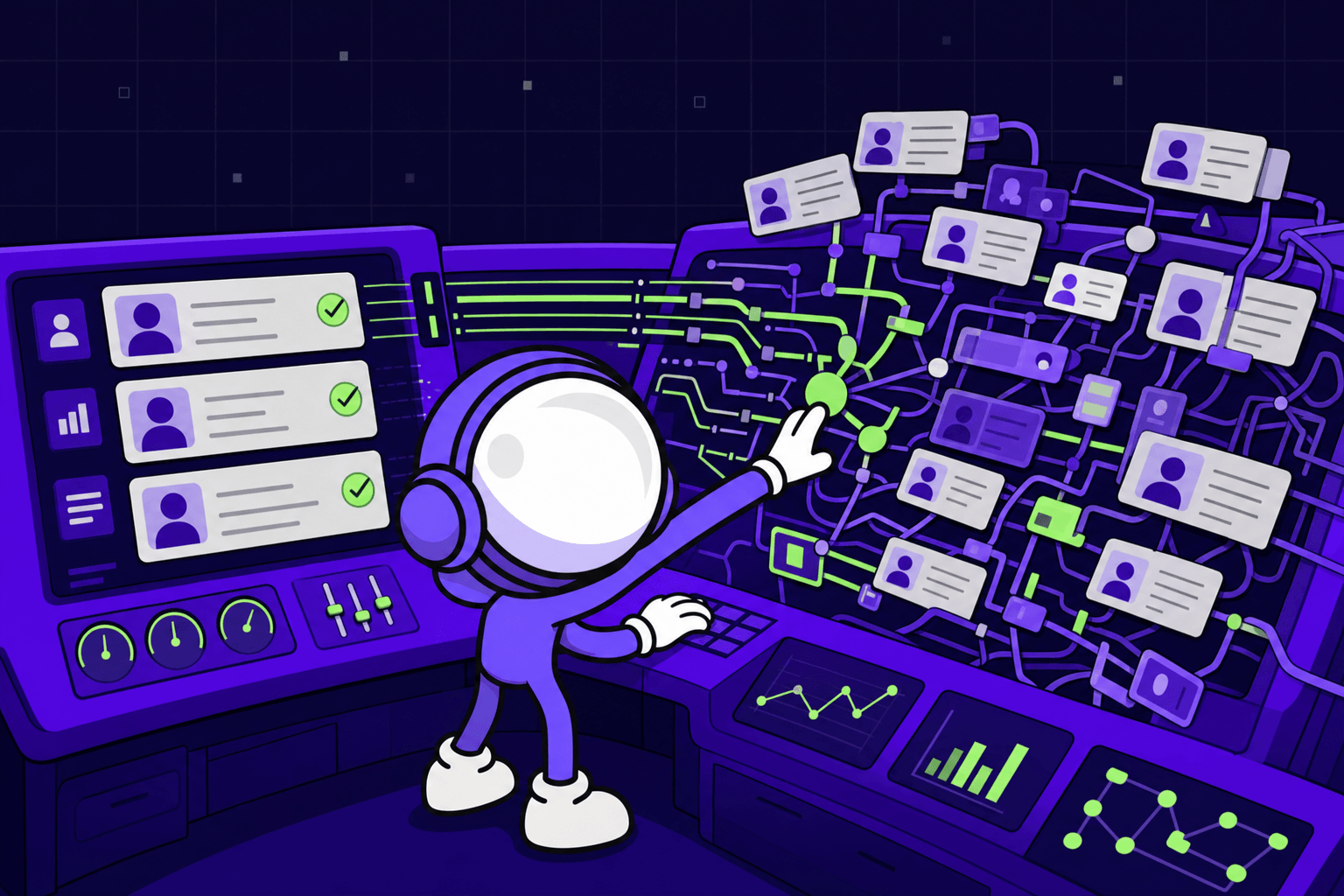
Five Signs the Architecture, Not the Tool, Is the Problem
The shadow spreadsheet is the loudest signal. Four others usually appear with it.
1. A critical workflow lives outside the system. Quotes, dispatch, onboarding, claims, renewals - whatever defines your business - happens somewhere other than the CRM. The CRM holds records. The actual work is elsewhere.
2. Daily exports are part of the routine. If teams pull CSVs every morning to do their actual job, the system has become a locked cabinet. Useful for storage. Useless for execution.
3. Reports get disputed instead of being acted on. Sales says one number. Finance has another. Operations trusts neither. When weekly reporting turns into reconciliation, the system has stopped being a source of truth.
4. Every change needs an admin. New process? New plugin. New custom object. New workaround. Change becomes expensive before engineering even starts.
5. Vendor settings own your customer journey. The logic that defines how your business treats customers lives in someone else's UI. That's the deepest version of the lock-in we covered in Agentic AI Lock-In Isn't About Contracts (opens in new tab) - same problem, different system.
If three of these are true, the issue isn't the CRM. It's the architectural fit.
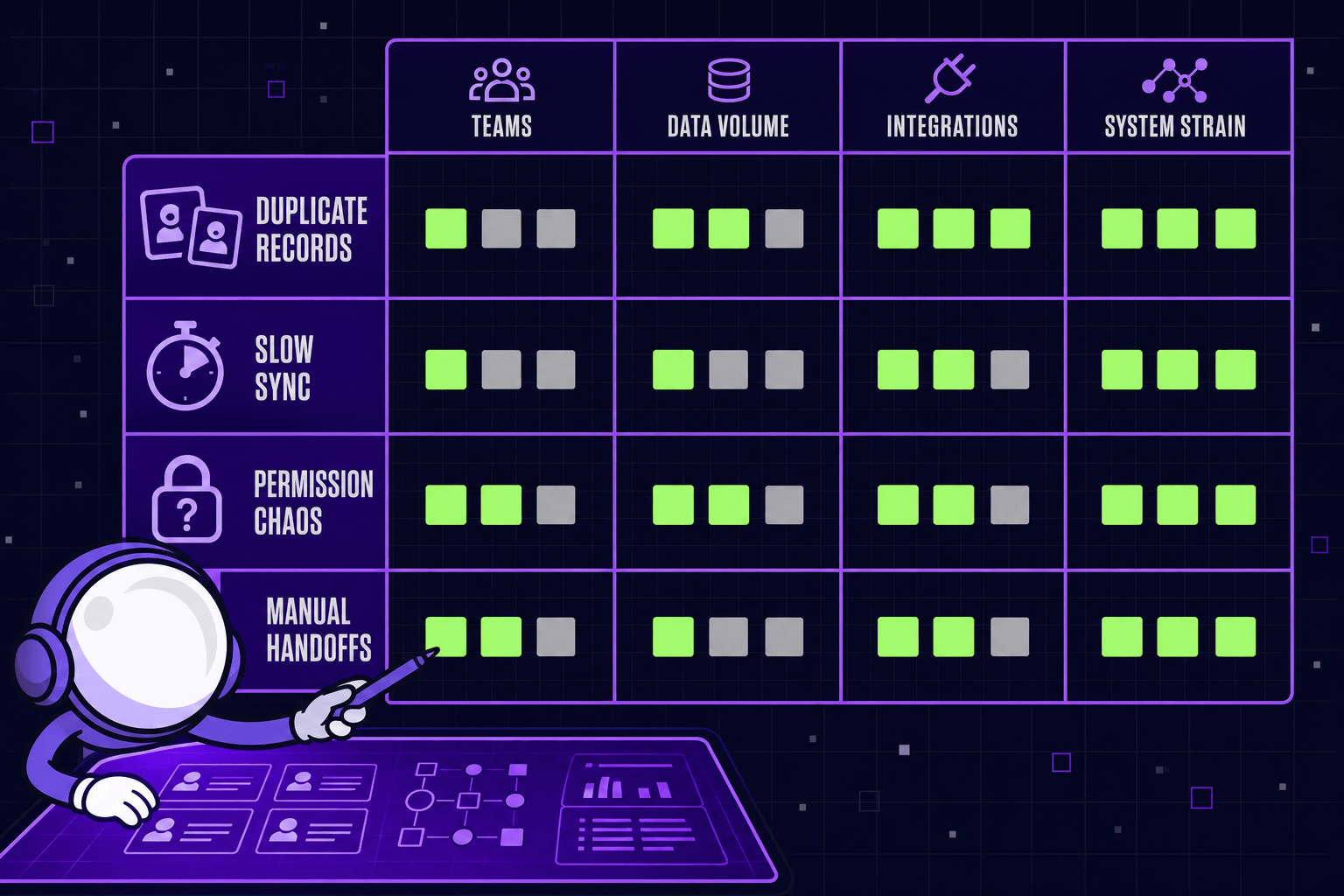
Why "More Stages" and "Another Plugin" Don't Fix It
Most teams try the same fixes first. Add more pipeline stages. Force every workflow into one record type. Buy another plugin and hope consistency follows.
It rarely does. Those moves treat symptoms, not structure. More stages don't create a booking object. One record type can't model an approval chain or a dispatch window. A plugin patches one team's pain and creates two new sync problems for someone else.
Data quality degrades fast when people work around a bad structure. They skip fields that don't fit. They overload text boxes with status notes. They keep the real answer in a spreadsheet - which is where this all started.
This is the same dynamic we wrote about in Custom Software vs SaaS: When Replacing Tools Wins (opens in new tab). Generic CRM software handles standard sales motion well. It breaks when your business runs on bookings, dispatch, supplier matching, invoice extraction, approvals, or custom states. Those aren't sales notes. They're operating objects, and they need a system built around them.
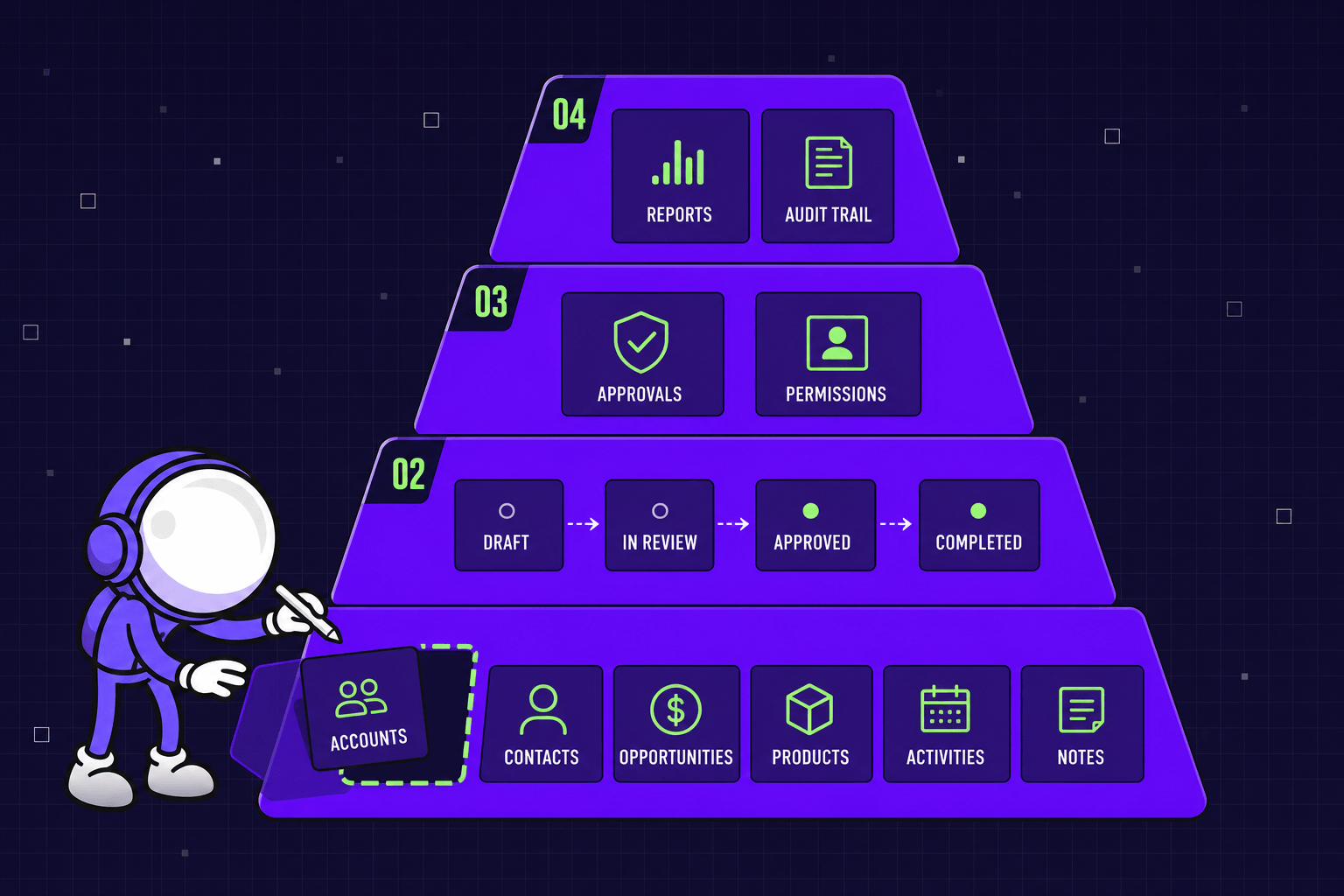
What Actually Works: Build Around the Real Objects
The fix isn't another plugin or another admin layer. It's a system built around the objects, states, and rules your team already uses.
We've shipped this pattern across several industries. The result is consistent - the workflow drives the software, not the other way around.
Steel Manufacturing ERP (opens in new tab). The client was running production from Excel files. Procurement, warehouse, factory floor - three teams, three spreadsheets, zero real-time visibility. We replaced it with a connected platform that combines material requests, supplier bidding, warehouse tracking, and on-site usage in a single system. Result: 15% increase in production throughput, 35% faster material picking and dispatch, three hours saved per production manager per day.
Beauty and Wellness Booking Platform (opens in new tab). The client managed bookings across hundreds of salons with tools that weren't designed for the business - exception handling, staff schedules, and customer retention all lived in workarounds. We built a system where booking was the core object, not an afterthought. Appointments increased 20%. Customer retention reached 75%.
B2B Food Marketplace (opens in new tab). Buyer-supplier matching used to depend on side files and email threads. We modeled buyer intent, supplier fit, and timing as native objects in the platform. Buyers completed purchases 60% faster. Supplier matches tripled.
MYGOM Invoices (opens in new tab). Built for ourselves first. Invoices arrived as emails, PDFs, images, and spreadsheets. People retyped data by hand, matched payments line by line, and occasionally paid the same invoice twice. We built AI capture, bank payment reconciliation at 95% match accuracy, and duplicate prevention that saves $2,000+ per blocked duplicate. Invoice processing time dropped 40%. The system now runs for finance teams beyond ours.
None of these started with "we need a better CRM." They started with "the spreadsheet is winning."
How the Math Actually Works
The honest answer on cost: it depends. Most mid-market custom platforms ship in 8 to 16 weeks. The relevant question isn't the build estimate - it's what you're already paying every month to avoid building the right thing.
Add up:
- Manager time spent on reconciliation
- Duplicate data entry across systems
- Reporting cycles that lag the business
- Middleware that breaks every quarter
- Admin hours babysitting failed automations
Once that monthly drag exceeds the cost of shipping a focused system, the decision is usually clear. For most teams running operational workflows through a CRM that wasn't designed for them, the drag crosses the threshold long before they realize it.
Where the Line Sits
Custom isn't always the answer. We've said this before, and it stays true: if your workflow is standard sales motion - contacts, deals, tasks - HubSpot or Pipedrive will outperform anything custom for the same price. If your team is small and your process is still changing every month, SaaS keeps options open. Don't harden guesswork into code. Forrester research (opens in new tab) found that 67% of software projects fail because of the wrong build vs buy choice. Most of those failures aren't technical, they're the result of teams building something that should have been bought or buying something that should have been built.
The line moves when the workflow becomes the product. The CRM vs spreadsheet split isn't really about software - it's about whether the official system can model how your team actually works.
The decision isn't between features. It's between renting someone else's data model or building your own.
The Practical Audit
Before your next CRM renewal - or your next "let's just buy one more plugin" decision - run this check:
- List the objects your business actually runs on. Not the ones the CRM offers. The ones your team talks about every day.
- List the workflows that those objects move through. Where do they enter? Who approves? Where do they exit?
- List the daily exports. Every CSV pulled every morning is a vote against the current system.
- Find the shadow spreadsheets. Ask your operators which spreadsheet they trust more than the CRM. There's always one.
If the answers point to a system that doesn't model your real business, no plugin will fix it for long. That's when custom CRM development stops being a nice-to-have and starts being the clean way to remove drag.
If your team built a shadow spreadsheet next to your CRM, that's the signal. Talk to us (opens in new tab). We'll map what stays on a managed tool and what needs to be built - based on what your business actually does, not what the demo shows.

Justas Česnauskas
CEO | Founder
Builder of things that (almost) think for themselves
Connect on LinkedIn