When One Person Becomes the System
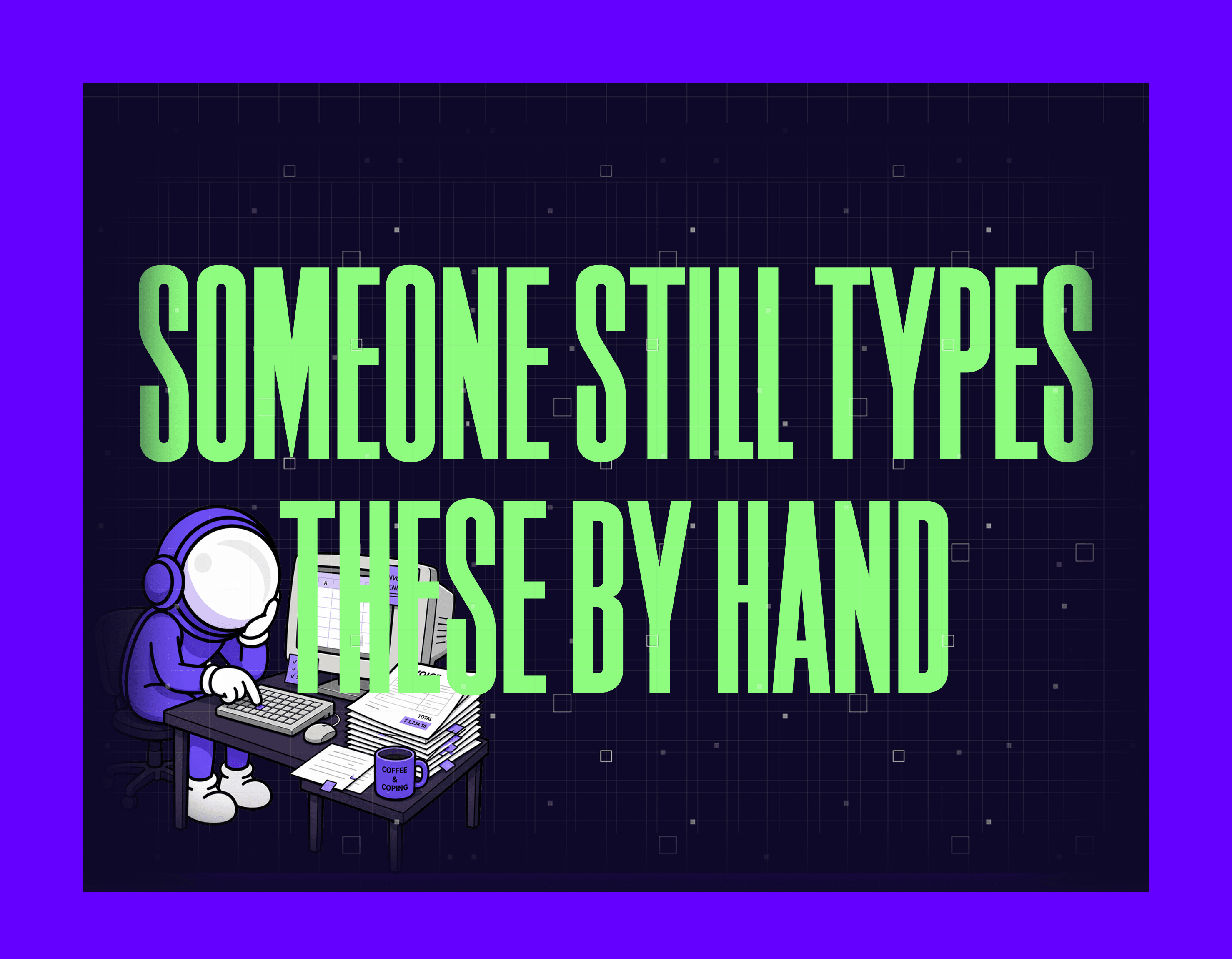
There's someone on your team who "does the invoices."
Maybe it's the office manager. Maybe it's someone in accounting. Maybe it's the founder's assistant who picked it up three years ago and never put it down.
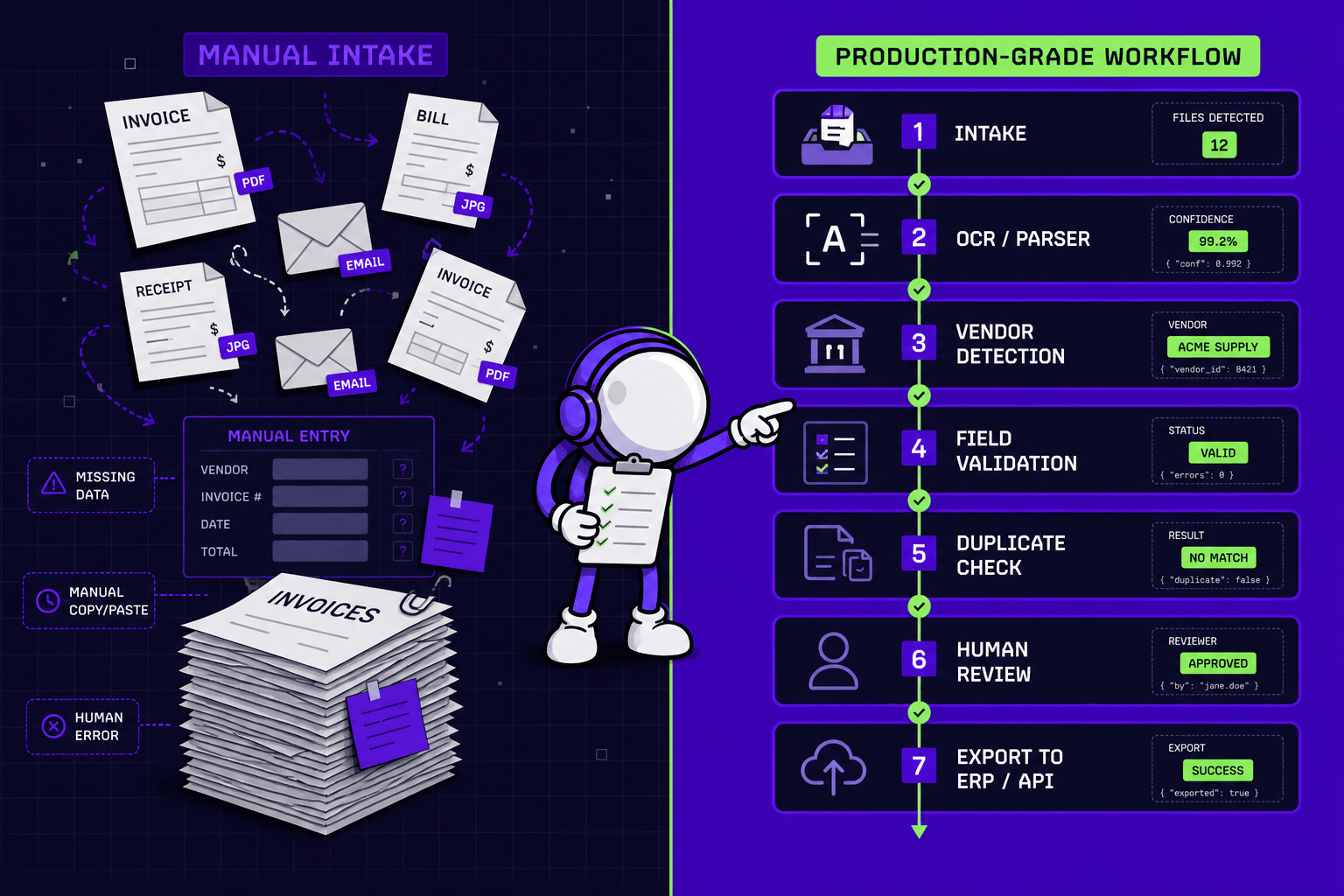
Every day - or every week, or every time a delivery comes in - they open an email, pull out a PDF, and start typing. Vendor name. Invoice number. Line items. Amounts. Into the accounting system. Into the ERP. Sometimes into a spreadsheet first, then into the system. Sometimes twice, because two systems don't talk to each other.
Nobody assigned this job formally. It just... settled. Like sediment.
And nobody's fixing it, because nothing's on fire.
This is what's called manual invoice processing - though nobody in your office calls it that. And it costs more than you'd guess.
The Cost of Manual Invoice Processing Isn't What You Think
Ask most business owners what this costs and they'll say: "Maybe an hour a day. Not a big deal."
Run the actual numbers and it looks different.
Industry benchmarks from Ardent Partners (opens in new tab) and APQC (opens in new tab) put the fully-loaded cost of manual invoice processing at $13-$20 per invoice - once you account for the person's time, the error correction, the back-and-forth with vendors, and the occasional late payment because something got missed in the pile.
If you process 200 invoices a month, that's $2,600-$4,000. Every month. For a task that feels like background noise.
But the money is almost the smaller problem.
Three Things That Are Actually Happening
- Time that compounds quietly. An hour a day is 20 hours a month. That's two and a half working days. For one person. On one task. That produces zero insight, zero relationship, zero strategy - just data moving from one place to another. That person is probably good at their job. This isn't it.
- Errors that hide until they hurt. Manual data entry has an error rate of around 1-4% (opens in new tab), measured per field entered. On invoices, that means wrong amounts posted, wrong vendors matched, wrong VAT codes applied. Most errors don't surface immediately. They surface during reconciliation, during audit, or when a vendor calls asking why they haven't been paid. By then, the original entry is weeks old and the person who made it doesn't remember the context.
- The process lives in one person's head. This is the fragility nobody talks about. Your invoice person knows which vendors send PDFs in weird formats. They know that Supplier X always puts the total on page 2. They know to ignore the "draft" watermark on a certain client's documents because that's just how they send things. They know the workarounds.
None of that is written down anywhere.
They go on holiday for two weeks. What happens? Either someone else muddles through and makes mistakes, or invoices pile up until they're back. Either way, you've just discovered that a critical business process is a single point of failure - and you only found out because someone took a vacation.
Why This Specific Task Is One Software Actually Does Well
Most automation hype is exactly that - hype. "AI will transform your business." Sure. Maybe. Eventually.
But reading a document and moving structured data into a system - the heart of manual invoice processing - is genuinely one of the narrow categories where software outperforms humans - not because humans are bad at it, but because humans are too good at other things to be wasted on it.
The task has clear inputs (a document), clear outputs (fields in a system), and clear rules (this field goes here, that number goes there). It repeats hundreds of times. It doesn't require judgment, relationship, or creativity.
It requires patience and accuracy. Software has infinite patience and doesn't make typos.
The Honest Part: "AI Can Do This" ≠ "You Need AI"
Here's where we'll say something you probably don't expect from a software company:
Sometimes you don't need AI. Sometimes you don't need automation at all.
A few scenarios we see regularly:
The systems already talk - nobody set it up. Your accounting software and your ERP have a native integration that's been sitting there unused for two years. The fix is a half-day configuration, not a custom build.
The process is broken first. Automating a broken process doesn't fix it - it just breaks it faster, at scale. If invoices are being entered in three different formats because nobody standardized the intake, automation will faithfully replicate that chaos. The cleanup has to come first.
The volume doesn't justify it. If you're only processing ten invoices a month, the math probably doesn't work. Manual entry takes maybe half an hour. Automation costs money to build and maintain. Do the arithmetic before you commit.
It genuinely pays for itself. If you're processing 500+ invoices monthly, have two people doing it, and errors are causing payment delays - the ROI is real and fast. We've seen setups where the automation pays for itself within a couple of months.
The only way to know which scenario you're in is to look at the actual process. Not the idea of the process. The actual one.
How to Tell If Your Process Is Worth Automating
You can get most of the way there on your own, before anyone else gets involved. A few honest signals tell you most of what you need to know.
Start with volume. If this happens more than fifty times a month, it's worth a closer look. If it's ten, it probably isn't.
Then look at how digital the data already is. Invoices arriving as clean PDFs or emails are far cheaper to work with than handwritten forms or scanned paper. The more digital the input, the lower the cost to fix.
Ask what a mistake actually costs. An error caught and fixed in two minutes is low stakes. One that turns into a payment dispute, a VAT filing error, or a strained supplier relationship is not.
Weigh how stable the process is. Formats and systems that change constantly are expensive to automate and keep running. Predictable ones stay cheap.
And finally, the signal that never shows up in a spreadsheet: if one person being out sick for a week would break this, that fragility is a real cost - whatever the numbers say.
If you're nodding at three or more of these, it's worth spending twenty minutes actually mapping what's happening.
How to Actually Find Out
We built a free 3-minute diagnostic (opens in new tab) for exactly this.
Not a sales funnel. Not a lead capture form dressed up as a tool. An actual diagnostic - you describe one process, we give you an engineer's read on it.
Three possible outcomes:
Quick win. The fix is simpler than you think. Maybe it's a native integration you didn't know existed. Maybe it's a small script. You'll know in the first conversation.
Clean up first. The process needs standardizing before automation makes sense. We'll tell you what needs to change and why - whether you work with us or not.
Not worth it. Sometimes the honest answer is: the volume doesn't justify the cost, or the process is too unstable, or there's a cheaper fix. We'll say that. We'd rather tell you now than build something that doesn't pay off.
No pitch at the end. No "but if you sign up today..." Just an engineer's read on your specific situation.
If you have someone on your team who "does the invoices" - and you've never actually looked at what that costs - it takes three minutes to find out whether it's worth changing.
Start the free diagnostic (opens in new tab).
For the wider picture of where this kind of work hides across a business, we mapped it here (opens in new tab).
Gabriele J.
Marketing Specialist