How We Built Our AI Invoice Automation
How We Built Invoice Automation That Reconciles Against Bank Payments
We built MYGOM Invoices because our own invoices were arriving as emails, PDFs, photos and spreadsheets, and someone was retyping them by hand. The system now collects invoices from every channel they arrive through, reads the details, blocks duplicates before payment, and matches each invoice against the bank statement with 95% accuracy. This is how the invoice automation was built, and which parts turned out to be hard.
The problem we actually started with
Invoices came in from everywhere. Some as email attachments, some as photos taken on a phone, some pasted into the body of a message, some inside a shared folder nobody had opened in a week. People re-typed the data, corrected their own mistakes by hand, and matched payments line by line at the end of the month.
Why we did not start with the model
The temptation with any AI project is to start with the interesting part. We started with the boring one: counting how many places invoices arrive from, and what an exception actually looks like.
That is the same filter we described in Will Automation Pay Off? Check This First (opens in new tab) - the exception rate. A process where most cases follow the same path can be automated safely. A process where nearly every case needs a judgement call cannot, at least not yet.
Invoices sat on the right side of that line, which is why invoice automation is usually the first thing we recommend, as we argued in Why Invoices Are Usually Where Automation Should Start (opens in new tab).
How the invoice automation works, step by step
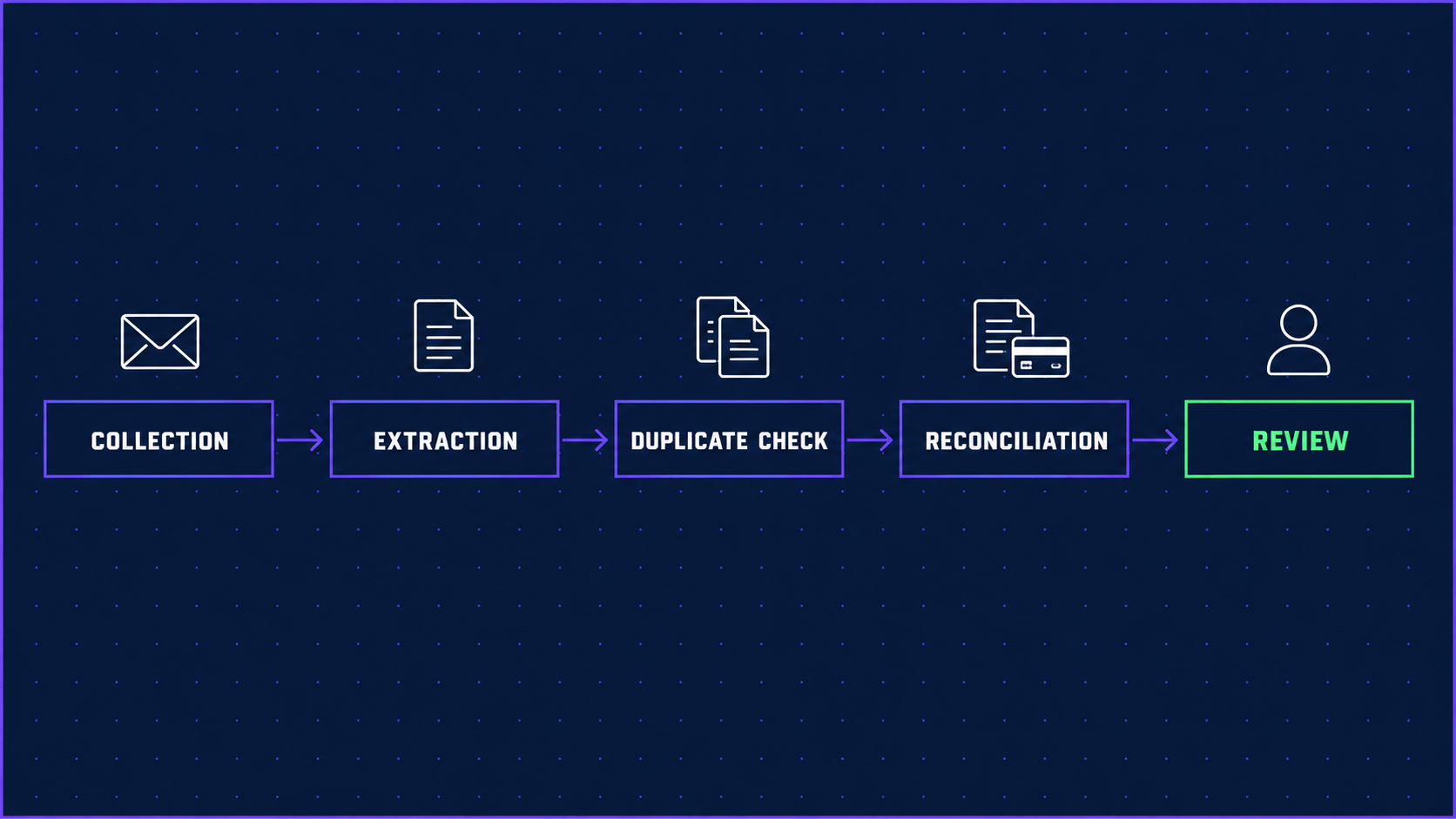
The finished flow has five stages, and only the last one involves a person.
- Collection. The system connects to email and shared folders and picks up anything that looks like an invoice: PDFs, images, spreadsheets, or plain text in the message body.
- Extraction. It reads the vendor, amount, date, due date and invoice number. There is no per-supplier template to maintain, which was a deliberate decision. Template-based extraction breaks the first time a supplier redesigns their invoice.
- Duplicate check. Before anything can be paid, the invoice is compared against what has already come through. Duplicates are flagged and blocked rather than quietly recorded.
- Reconciliation. Each invoice is matched against the bank payments, including cases where the payment description does not resemble the invoice at all.
- Review. A person sees the exceptions. Not two hundred clean invoices with a handful of problems hidden inside them, but the handful.
Step five is the one that matters. The point was to stop the person from being the search function.
The reconciliation was the hard part
Reading an invoice is close to a solved problem. Matching it to a bank payment is not.
The payment description rarely matches the invoice. A supplier trading under one name is registered under another. Three invoices get paid in one transfer. One invoice gets paid in two. The amount is right but the reference is a person's initials and a date.
Getting invoice reconciliation to 95% accuracy took more iterations than the extraction did, and it is the number we watch most closely, because a reconciliation engine that is confidently wrong is worse than no reconciliation at all. Anything below the confidence threshold is not guessed. It goes to the exception list.
The document side runs on Python and standard AI models. Nothing exotic. The difficulty was never the stack.
What changed once it was running
The numbers from our own MYGOM Invoices (opens in new tab) deployment:
- 40% less time spent on manual invoice processing
- 10x more invoices handled per person
- 95% accuracy on automatic reconciliation against bank payments
- 30% lower software spend, because several overlapping tools were no longer needed
- Over $2,000 saved on average for every duplicate payment stopped before it went out
The last one is the number that pays for the project. The first one is the number people notice.
What it does not do
It does not replace an accountant, and it does not make judgement calls. Deciding whether a disputed invoice should be paid, whether a supplier is worth keeping, or whether a cost belongs to this project or the next one is still a human decision, and it should be.
It also does not fix a broken process. If nobody knows who approves what, automating the flow simply produces the same confusion faster. That problem is worth solving first, and we wrote about where it usually hides in Where Your Team Loses Time to Manual Work (opens in new tab).
Why this is worth doing now rather than later
Two things are moving at once.
The regulatory side is already scheduled. Under the European Commission's VAT in the Digital Age package (opens in new tab), Digital Reporting Requirements will affect cross-border B2B transactions from 1 July 2030, and Member States can introduce mandatory e-invoicing before that. That is what turns accounts payable automation from an efficiency project into one with a deadline attached.
The readiness side is behind. A thematic report prepared by CEPS (opens in new tab) for the European Commission's EU Payment Observatory found that 37% of small European companies sent e-invoices in 2023, against 59.8% of large ones. The companies with the least capacity to absorb a deadline are the furthest from being ready for it.
Building this properly takes months, not weeks. Starting it because a deadline arrived is the expensive version.
Where to start if this sounds familiar
You do not need to know which invoice automation system you need before you begin. Get in touch (opens in new tab) and we will go through your invoice flow with you, including the possibility that the answer is that nothing here needs automating yet.