Process Automation Starts After Process Repair

Process automation disappoints for one boring reason - the process underneath is still a mess.
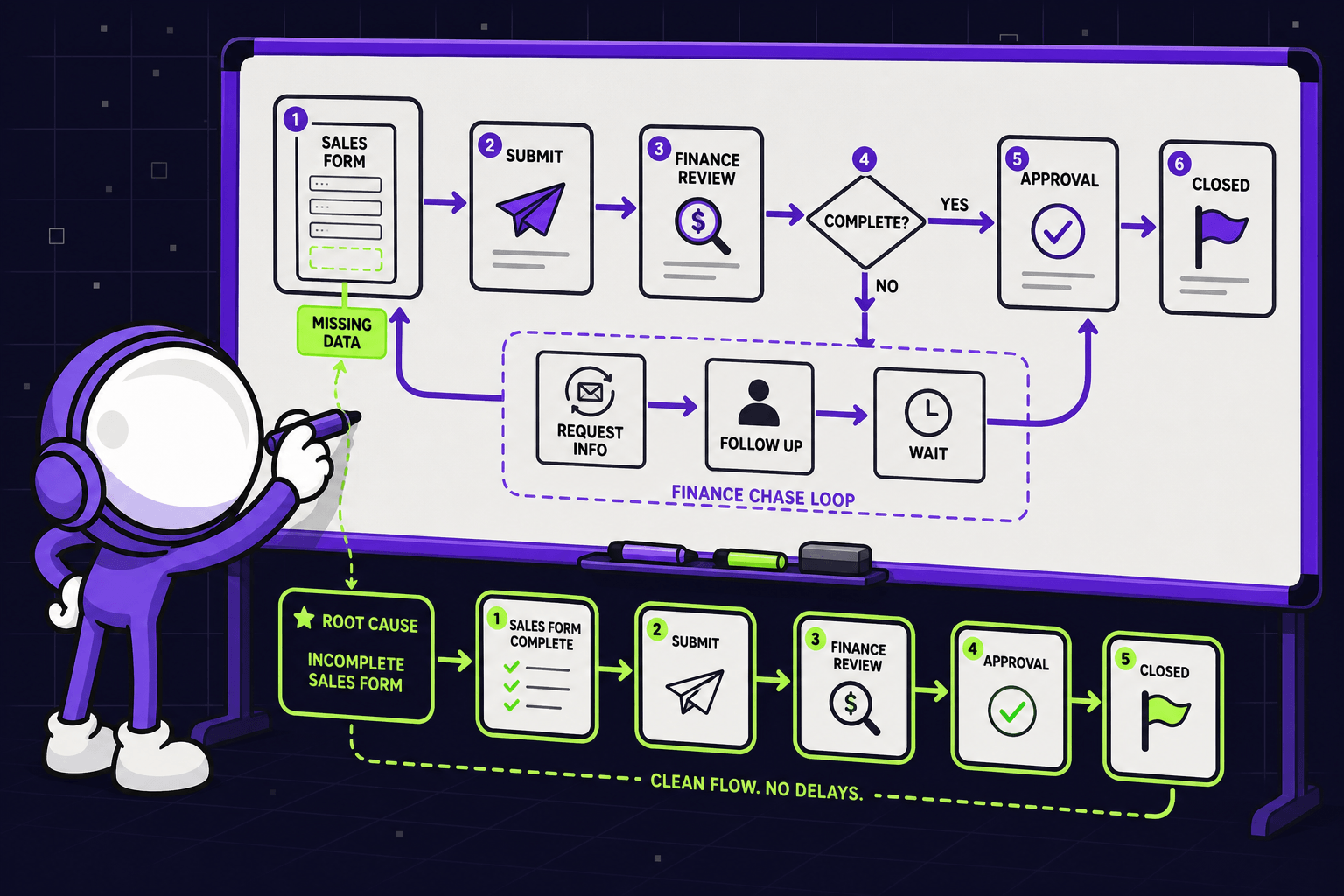
You launch the workflow. Then you watch the same delays, the same errors, the same "wait, who owns this?" - only now they move faster, through nicer software. Nothing was removed. It was just re-hosted.
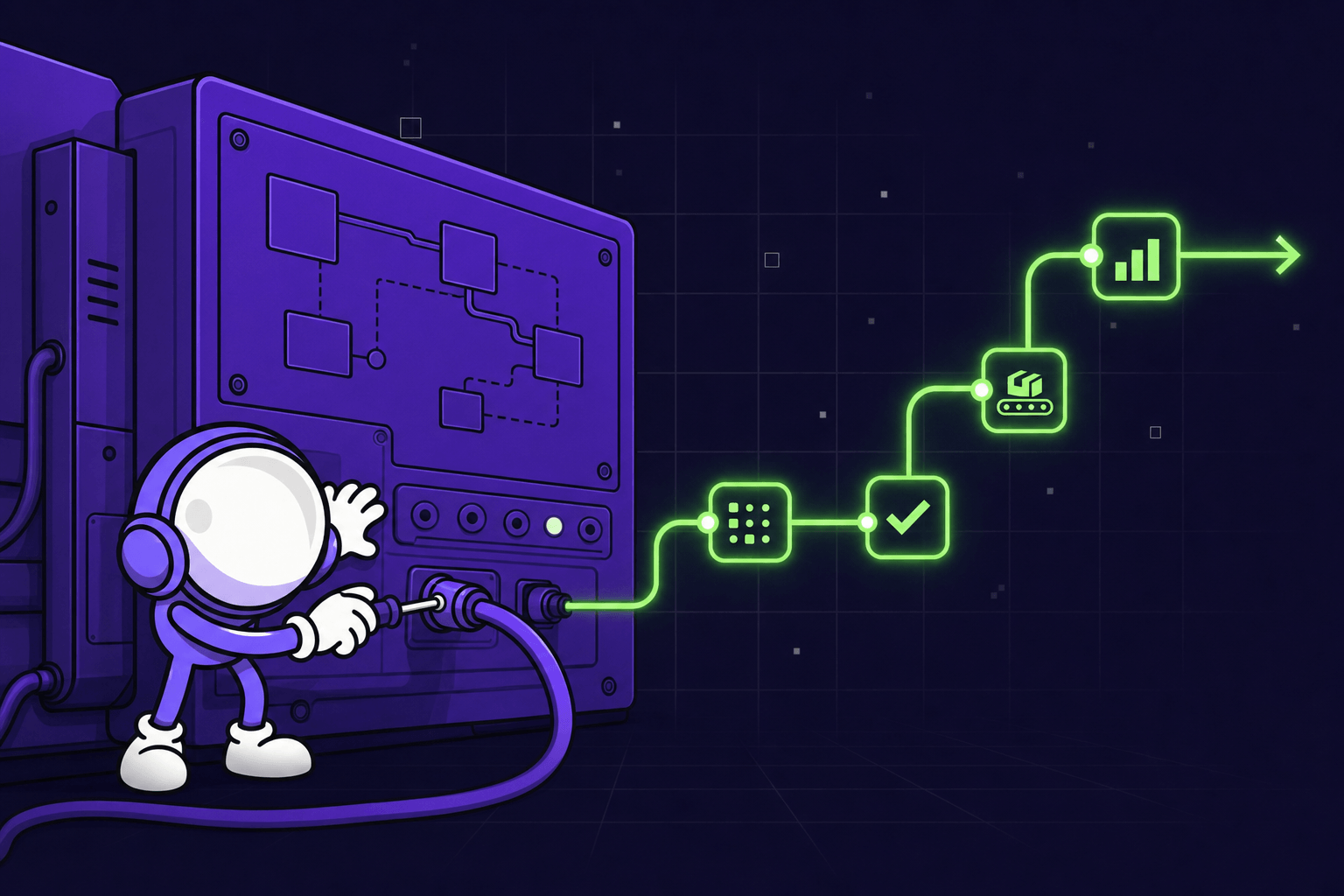
At Mygom.tech we map processes, remove the waste, connect the systems, and only then automate. Not because it sounds disciplined, but because we have to maintain whatever we build. Automating chaos means maintaining chaos.
So: how to tell a broken workflow from a slow one, what to fix before you touch a tool, when automation is worth the effort, and when AI actually belongs in the picture.
A slow process and a broken process are not the same problem
A slow workflow is annoying, but it is consistent. A broken one changes shape every time you look at it.
A slow process has clear steps. It just stalls. Approvals sit for two days. One export takes ten minutes. The path is stable even when the pace is not. That is a speed problem, and speed problems usually have small fixes.
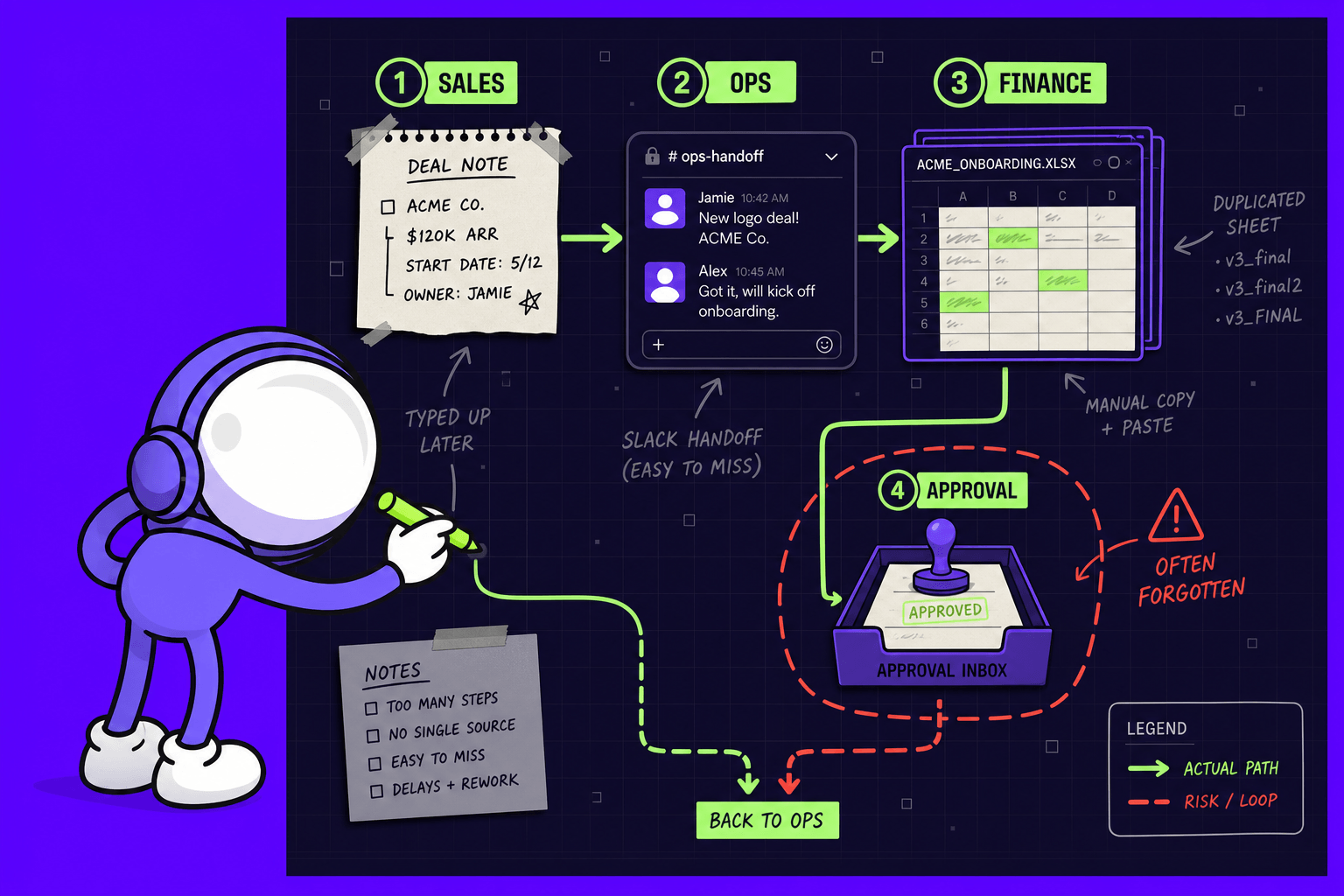
A broken process looks different. One person follows one path, someone else follows another. Nobody agrees on the real order of steps. Outputs change depending on who did the work. Decisions live in chat threads, side notes, and memory.
Here is the test we use: can three experienced people describe the same workflow the same way? If not, you do not have a speed problem. You have a control problem, and automation will encode it rather than remove it.
Ask three people to map the same flow separately and you usually get three different starting points, at least two people who each believe they own the same approval, and one step nobody can explain without calling finance. Not delay. Confusion with a timestamp.
The usual signals show up fast:
- The same data is entered into two or three systems
- Work gets redone after a handoff
- Ownership between teams is unclear
- Exceptions outnumber the standard path
- The same field arrives in a different format each time
Asana (opens in new tab)'s guidance on process mapping puts the principle plainly: "map what's real, not ideal." That sounds obvious until you sit in the room and watch a team describe the version of the process they wish they had.
What we map before we touch process automation
The first step is not tool selection. It is not a vendor demo. It is the map.
We map six things: the trigger, the required inputs, the owner of each step, the systems involved, the output, and the exceptions. That is enough to give people something they can argue with usefully instead of vaguely.
We do not need museum-grade diagrams. A lightweight map that shows sequence, decision points, expected timing, and rework loops does the job. KYP.ai (opens in new tab) makes a fair point about mapping tools: a hand-drawn diagram is accurate on the day you draw it and stale the moment nobody updates it. Which is an argument for keeping maps small enough that updating them is not a project.
The loudest complaint is rarely the bottleneck
The place people complain about is usually where pain becomes visible, not where it starts.
A bicycle manufacturer we worked with (opens in new tab) was catching defects too late - at the end of the line, where rework and held batches make themselves felt. That is where the attention went. But quality checks were running on paper forms, spreadsheets, and informal conversation, so none of that information traveled with the product. By the time a defect surfaced, tracing its origin was guesswork. The fix was not a faster repair queue. It was capturing each check at the stage it happened - a barcode scan instead of typing, a photo instead of a description, so the defect and its origin arrived together. Quality deviations dropped 65%, manual documentation dropped 80%, and the team moved from reacting to defects to preventing them.
A steel structures manufacturer (opens in new tab) had the same shape of problem in a different place. Material picking and dispatch felt slow, and the factory floor was where people felt it. The actual issue sat upstream: material state lived in Excel files updated by hand across procurement, storage, and production, so everyone was working from a slightly different version of the truth. Once material requests were entered once in a structured form, and every movement was logged at the point it happened, picking and dispatch got 35% faster and each production manager got back around three hours a day.
This is why so much automation fails. Teams automate the visible step instead of the real dependency.
Bad inputs are not a cosmetic problem, either. Most of the cost never arrives as one large failure. It arrives as thousands of small corrections nobody logged - a field retyped, a record patched, a call made to check which version is right.
Fix first: simplify, then stabilize
Once the map is honest, the work splits into two parts.
Simplify. Remove duplicate approvals. Merge repeated data entry. Assign one owner per step. Define one source of truth for each field that matters - customer ID, order status, invoice amount. This is the part teams skip because it feels less exciting than tooling, and it is where most of the actual gain hides.
Stabilize. Use consistent forms. Make key fields required. Lock schema rules. Define statuses so they mean the same thing to everyone. Add retry logic where systems fail in ordinary ways. Write error handling that tells a human what broke and what happens next.
Then write it down properly: decision tables, field maps, webhook contracts, payload rules, rollback paths. Not for the shelf - for the person who has to change this in eighteen months.
A useful external example of the sequence: Pipefy (opens in new tab) documented an accounts payable team at Henry Schein One running approvals over email, re-keying invoice data by hand, across fragmented legacy systems. Processing took up to three weeks, and duplicate payments happened. After mapping the target workflow and rebuilding it on one platform, the cycle dropped to seven days - a 66.6% reduction in SLA.
Worth being honest about the source: Pipefy is describing its own customer, and the fix included buying Pipefy. The number is theirs. The sequence is the part worth copying - they redesigned the flow before they automated it, not after.
Then automate, and keep it boring
When a workflow finally behaves the same way every time, that is the moment.
Start with the stable path only. One trigger. One owner. One success metric. One rollback option. That keeps the risk contained and makes debugging blame-free when something breaks.
The build itself should feel unremarkable. Reliable automation rarely looks clever from the outside. It looks like event-driven integrations, queue-based retries, field validation, idempotency keys, and audit logs that show who sent what, when, and why. Nobody needs magic at 4:47 p.m. on a Friday. They need a system they can trust.
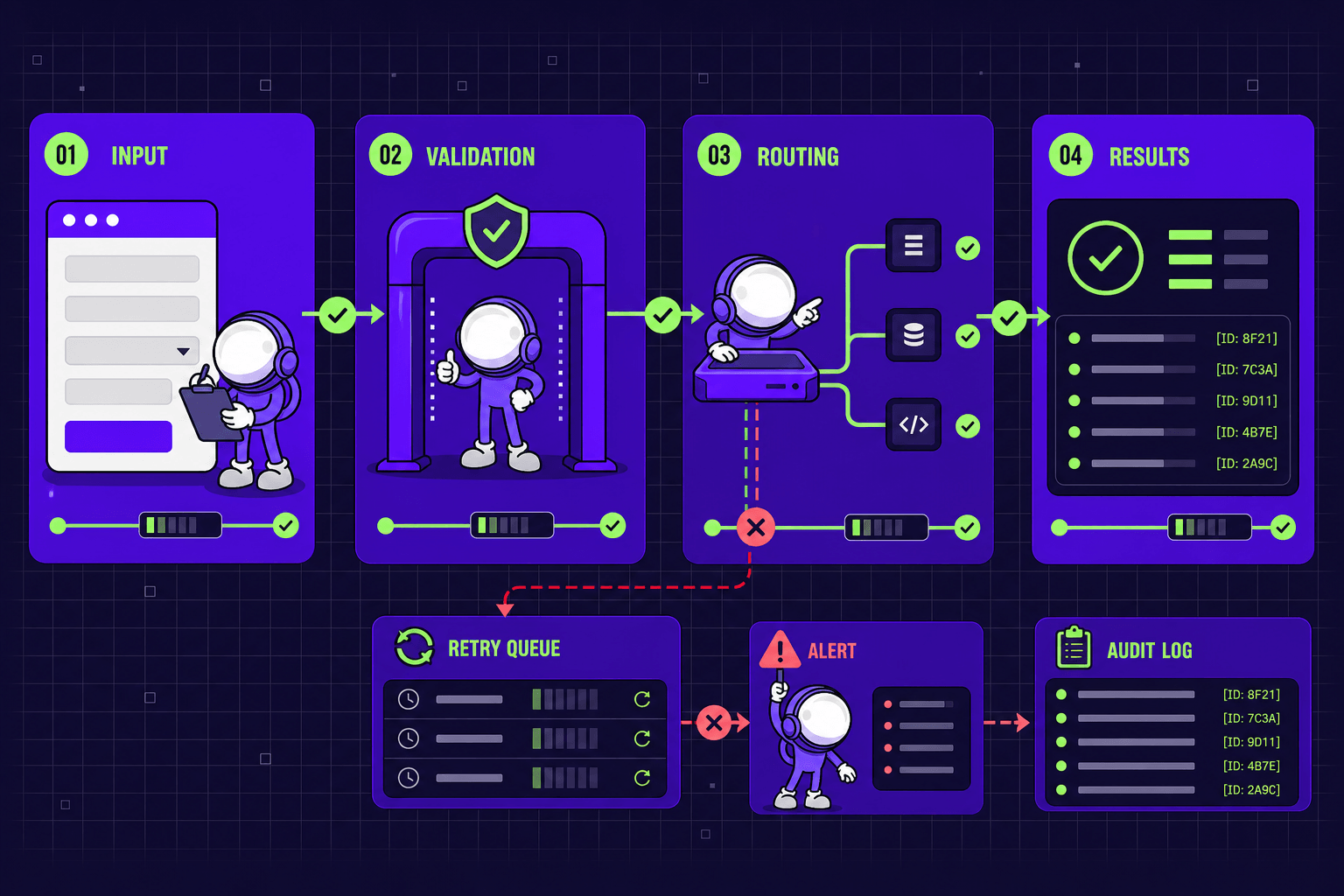
A lightweight stack is usually enough: a form layer that collects structured input, a webhook that passes the event forward, middleware that routes it, and validation before any record is created downstream. Not glamorous. Dependable. Dependable wins when the process touches customers, revenue, or compliance.
We built a sheet metal quoting system (opens in new tab) on exactly that logic. The client's custom orders arrived by email: design files back and forth, manual quoting, manual file conversion, and a real chance the customer's format would not work with the machines. We did not add AI. We built self-service configuration with instant pricing, a 3D preview, and automatic conversion into the format their machinery reads. Ordering got 2x faster, custom orders went up 5x, and administrative work dropped by half.
There was no model in that solution. There was a process that finally had one shape.
When AI is actually the right answer
Our rule stays the same: AI can do this is not the same as you should use AI for this.
AI earns its place when judgment is genuinely messy but patterns still exist. It does not help when the process has no stable shape - it just produces confident output on top of unreliable input.
Invoice handling is a fair example of where it does fit. Invoices arrive as PDFs, images, spreadsheets, and email text, from hundreds of vendors, in no agreed format. Bank descriptions rarely match invoice lines. That is real ambiguity, not disorganization. So in MYGOM Invoices (opens in new tab) we used AI for capture and reconciliation, and got up to 95% match accuracy, 40% less processing time, and 10x more invoices handled per person.
Note what AI is not doing there. It is not deciding approval limits, and it is not inventing routing rules. Those are deterministic, so they stay deterministic. If a step follows clear rules, you do not want probabilistic output in it - you want stronger validation and a cleaner integration.
If you want the longer version of why this goes wrong, we wrote about it in Why AI Projects Fail, and How to Succeed (opens in new tab).
The part everyone skips: upkeep
A working automation drifts back into chaos when the process around it changes and nobody updates the rules.
So keep the documentation current. Update the map when ownership, forms, or exceptions change. Review exception rates monthly. If the same edge case keeps appearing, fix the upstream rule or the handoff - do not throw more tooling at it.
Good systems stay healthy because someone tends them. That is unglamorous and it is the whole job.
Not sure which category you're in?
If you are reading this thinking I genuinely can't tell whether ours is slow or broken - that is the normal answer, and it is what our free 3-minute diagnostic (opens in new tab) is for.
It sorts out whether the fix is AI, process cleanup, or a connection between two systems you already own. Sometimes the answer is that you do not need AI at all. That answer is free too.
If you would rather talk it through, get in touch (opens in new tab) - or see how we approach it in AI Integration & Automation (opens in new tab).
Gabriele J.
Marketing Specialist