Using AI for Project Management Success
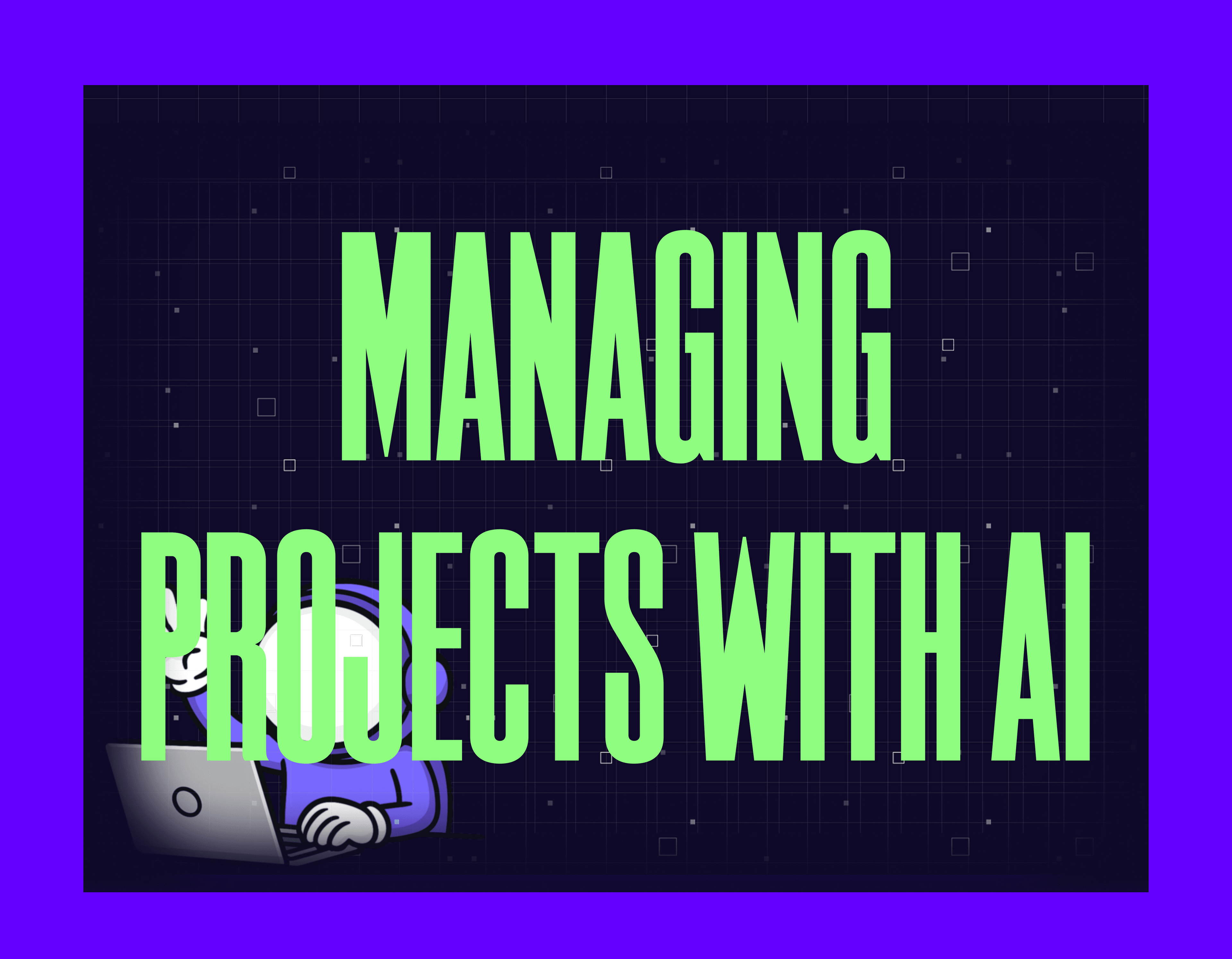
Imagine significantly reducing your project delivery time - without burnout or dropped tasks. No tasks falling through the cracks. That's what using AI for project management can do. It's not just hype. AI changes how teams plan, track, and deliver complex work. Celoxis (opens in new tab) highlights how AI tools like predictive analytics boost project speed, as seen in cloud migration cases.
But here's the truth: most teams jump in without a map. They hit walls. Tools don't connect. Data is messy. Teams get confused.
Success starts before you deploy anything. You need the right tools. You need clean data. You need a team ready to trust machine insights. And you need clear goals - like a lighthouse in fog.
This guide walks you through each step of using AI for project management. You'll learn which tools matter most. You'll see how to prep your people and data. You'll know what goals to set from day one. Along the way, you'll spot common traps and dodge them. You won't become another failure story.
Want to see how top firms turn AI into an edge? Ready to make your projects run smarter and faster? Keep reading. You're about to chart your course through the new age of smart project delivery.
Prerequisites
Before you start using AI for project management, make sure you have these basics in place:
Team readiness: Your team needs to trust AI insights. Schedule a one-hour intro session. Explain what AI will do. Show how it helps rather than replaces their work.
Data access: You need at least three months of project history. This includes task logs, time tracking, and past reports. AI learns from this data to make smart choices.
Tool inventory: List every tool your team uses now. Include task boards, file storage, chat apps, and bug trackers. You'll connect AI to these systems.
Budget approval: AI tools cost $10 to $50 per user per month. Get budget sign-off before you compare options.
Success metrics: Pick 2-3 KPIs you'll track. For example, average task time, forecast accuracy, or hours saved per week. Write down your current numbers.
You're ready when you can check off each of the items above.
Step 1: Choose the Right AI Project Management Tools
Evaluating the Best AI for Your Team
Start by mapping your needs. List every pain point. Do you spend hours on status updates? Are deadlines slipping? Do you need better forecasts or cleaner reports? Write it all down.
For example, say your team wastes three hours a day chasing updates and fixing schedules. You'll want AI that handles task automation and real-time alerts.
Next, match needs with solutions. Generative AI for project management can draft updates. It can sum up meetings. It can flag risks before they blow up. Think of it like a digital analyst who never sleeps. It scans for jams and surfaces what matters.
Discuss your team's workflow with them. Do they use Asana for tasks but Jira for bugs? Are they drowning in sheets? Do they want one dashboard? Your ideal tool will fit these habits. It won't force new ones.
Now you should have a short list. You know your must-have features. Check that each tool supports the links you use every day.
Checkpoint: Verify your list clearly shows top needs. For example, predictive data or auto reports.
Don't move forward until this is done.
Comparing Top AI Project Management Tools
Now compare options head-to-head. The best AI tools for managers do more than send reminders. They use data to make smart choices. They automate routine work.
Here are five options:
- ClickUp - Uses machine learning to assign tasks based on workload patterns.
- Asana Intelligence - Offers generative AI to draft status updates and track blocks across projects.
- Monday.com Work OS - Uses predictive data to forecast timelines and resource needs.
- Wrike - Delivers auto workflows powered by real-time data from many sources.
- Trello with Butler - Automates lists and reports using simple rule triggers.
These tools don’t replace project leadership - they remove the manual overhead that slows it down.
A Celoxis article (opens in new tab) shows AI bringing intelligence to every project phase - predicting roadblocks early and optimizing resources via real-time data.
Don't just look at features. Check pricing models. Check security certs. Check support quality too.
Checkpoint: Compare trial versions side by side. Test with real data from last quarter. Don't use dummy accounts. See which tool fits best.
You should now have a clear winner. Or at least a final two. You're ready to integrate it into your workflow in the next steps.
Step 2: Integrate AI into Project Management Workflows
Connecting AI with Existing Management Workflows
Start by mapping your current flow. List each step, tool, and handoff in delivering projects today. For example, you might track tasks in Jira. You might store files in SharePoint. You might chat in Slack.
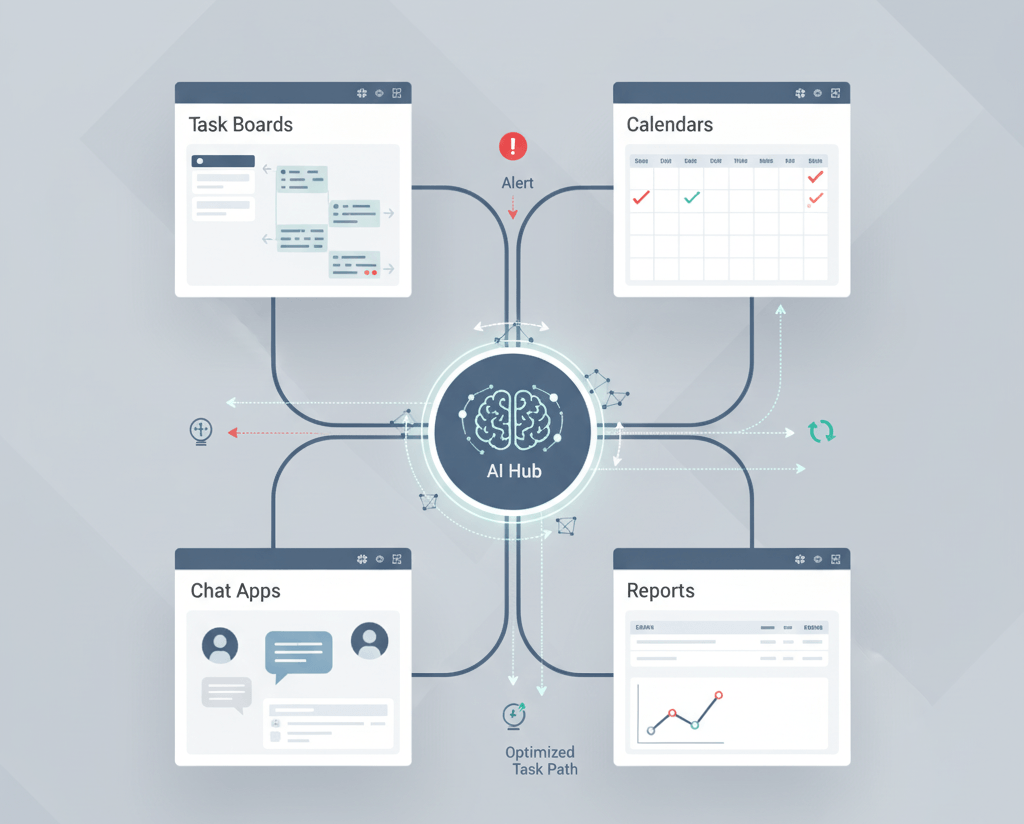
Follow these steps:
- Find workflow jams. Look for places where approvals lag, or priorities shift without warning.
- Note repetitive actions. Examples: status updates or manual reports.
You should now have a clear visual. You see how work moves from start to finish across your team.
Checkpoint: Confirm every stage and tool is listed. Don't move forward until this is done.
Next, connect your AI solution to these tools. Most modern platforms offer direct AI links. ClickUp and Asana have API connections that sync with existing systems. For example, use a link to let an AI helper analyze task rates from Jira. It can flag overdue items on its own.
Your project stack should now show new automation triggers. You should see smart notifications powered by AI.
Verify: Check for visible signs. Look for an "AI suggestions enabled" badge in your dashboard. Confirm before you proceed.
Automating Tasks and Enhancing Collaboration
Enable specific AI features for automation and real-time insights. Here's how:
- Configure the system to auto-assign tasks based on skillset data.
- Set up predictive alerts for missed deadlines. Use historical performance data.
- Turn on smart meeting summaries. These capture key decisions from video calls.
When this works, your team will see auto assignments in their task boards. They'll get summary digests each week. No manual effort needed.
Checkpoint: Make sure at least one core workflow runs on AI automation. Example: daily standup reports. Verify before rolling out wider changes.
Train your team on these new tools. Schedule a 20-minute walkthrough. Do it inside your existing daily or weekly meetings. Show how using AI for project management can predict roadblocks (opens in new tab). It's like having a GPS reroute you around traffic jams. You don't wait until you're stuck.
Data (opens in new tab) from Planview shows automation saves hours weekly on admin tasks like reports. Track your productivity gains over time.
By completing these steps, you lay the groundwork for smarter collaboration. You create more efficient workflows powered by AI.
Step 3: Verify Success and Avoid Beginner Mistakes
Establishing Measurable Success Criteria
Define clear KPIs before you start using AI for project management. Choose metrics that connect directly to speed and business results. For example, measure average task completion time. Or count manual interventions. Or check forecast accuracy rates.
Set a baseline first. Record how your team performs without AI. Then track progress after rollout. You might use a dashboard that shows real-time automation rates. Or missed deadlines per project manager.
Many teams use a simple rule of thumb in AI adoption: if a tool can automate at least 30% of repetitive work, it’s usually worth the investment.
At this stage, your dashboards should display both old and new performance numbers side by side. Review them weekly with stakeholders. Spot jams early.
Checkpoint: Confirm you see improvements in at least one major metric. Look at speed, quality, or cost. Don't scale further until you see this.
Common Pitfalls and How to Overcome Them
Learn from real-world failures. Various industry studies estimate that over 80% of AI initiatives fail to meet expectations - most due to data and adoption issues, not model quality.
For example, automating (opens in new tab) updates without fixing data inconsistencies across teams can create gaps and extra rework - a common pitfall in project automation.
Avoid this trap. Run data audits before launch. Check for missing values. Check for format mismatches across all inputs.
Another common trap: chasing tech without the human element. Tools shine brightest when paired with smart processes and real change management. Focus there for smooth adoption and lasting wins.
Finally, remember that automation isn't all or nothing. Most successful teams combine (opens in new tab) smart software with human oversight at key checkpoints. Think of it like driving with cruise control. You still need hands on the wheel when conditions change fast.
Checkpoint: Before expanding usage, verify that no critical tasks are slipping through the cracks. Check for poor data or lack of review steps.
You should now have measurable results. And a roadmap free from common stumbling blocks. You're ready to use AI for project management at scale.
Conclusion
You've navigated the maze of AI project management. You've diagnosed integration challenges. You've scaled your solutions. You've peered around the corner at what's next. Along the way, you picked up more than technical fixes. You learned how to spot issues before they snowball. You know when to double down on automation. You understand why staying curious about new trends keeps your skills sharp.
The most valuable insight? AI isn't a final destination. It's an ongoing journey. Each challenge is just another chapter in your story as a project leader. When you future-proof your tools and embrace change, you don't just protect your job. You shape it.
AI won’t fix weak processes, but it will amplify strong ones. The teams that win are the ones who prepare, experiment carefully, and measure honestly.
Need help putting this into practice?
Choosing AI tools is easy. Making them work inside real project workflows is not.
We help teams evaluate AI project management tools, connect them to existing systems, and design workflows that actually save time - without breaking what already works.
If you want guidance on tool selection, integration, or rollout strategy, book a consultation (opens in new tab). We’ll help you decide what makes sense for your team - and what doesn’t.